

Caribbean House Colors

Caribbean homes use the bright and bold colors in the natural environment and soft pastels to decorate the exterior and interior. The tropical colors used on homes in the Caribbean compete for attention with the blue skies and oceans, vivid flowers and bright sunshine. When decorating your home in the Caribbean style, you must use colors that stand out and command attention.
Bold and Vivid


Tropical blue and purple can make a home stand out in a neighborhood. To decorate the exterior of your home in a Caribbean style, make brave choices in the vivid colors that you choose. Turquoise blue or sea green can coordinate with the color of the crystal ocean in the Caribbean.
Tangerine, salmon and coral pink are bright and vivid choices for your Caribbean-style home. The beauty of this style of decorating the exterior of the home is that it is perfectly acceptable to mix shades and colors. Use trim colors of equal intensity such as a turquoise blue home with a bright, sunny yellow trim.
Soft Pastels
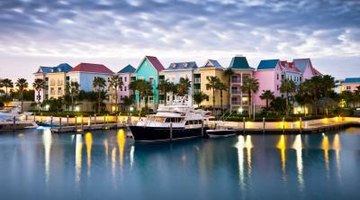
Softer colors such as pink and powder blue also work well on Caribbean homes. A soft pink exterior with splashes of bright color gives a home a tropical appearance. White is a common color for beach homes, but you can accent the home with the house trim and decorative touches in tropical blue, green and yellow.
Interiors
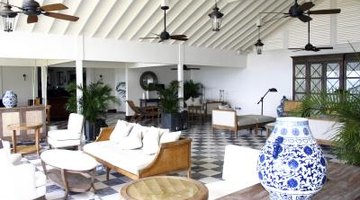
The bright, vibrant colors of the Caribbean can decorate the interior of the home as well. Be brave with the colors and include the walls, ceiling and furnishings with your tropical interior design. Use tropical blue and green in the main rooms of the house such as the kitchen, living room and dining rooms. Caribbean colors give your home a cheerful atmosphere that can be your sanctuary in the midst of the city. If you are unable to paint the exterior of your home with tropical colors, create the environment inside your home. Decorate with bamboo and wood tones to coordinate with the vibrant colors.
References
Writer Bio
Luanne Kelchner works out of Daytona Beach, Florida and has been freelance writing full time since 2008. Her ghostwriting work has covered a variety of topics but mainly focuses on health and home improvement articles. Kelchner has a degree from Southern New Hampshire University in English language and literature.
Photo Credits
- Fuse/Fuse/Getty Images
- Brand X Pictures/Stockbyte/Getty Images
- WerksMedia/iStock/Getty Images
- ridgers/iStock/Getty Images
More Articles

