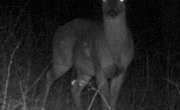


Game cameras allow hunters and outdoor aficionados to track and photograph animals in their natural habitats. Hunters typically use these images to discover the habits of their desired trophy beasts, and wildlife photographers employ game cameras to take pictures of multiple locations throughout the day. Each camera features a trigger mechanism that determines when the camera will take pictures, as well as a delay time setting.
Using Delay Times
Manufacturers design game cameras to operate without human supervision. The cameras take a number of pictures based on the camera’s settings and trigger mechanisms. Most modern cameras take digital pictures and can operate for days without human intervention. The delay time on the camera allows you to capture multiple pictures of an animal or group of animals when the trigger activates. Common delay times range from seven seconds to one minute or more. The delay time, trigger mechanism and available memory or film determines the number of pictures taken by the time you retrieve your camera.
Choosing Delay Times
Many photographers prefer shorter delay times for action shots and to have a greater opportunity of catching more exciting photos of wildlife. Delay times of over a minute can help hunters determine the level of activity in an area and track the habits of the local fauna. You should choose a delay time that best suits your needs and look for a camera that offers the best delay options to match your desired purpose.
Setting Delay Times on a Game Camera
Most modern cameras feature on-board digital settings available through the viewfinder or display. Many cameras offer several different delay times and trigger types. Trigger types typically include motion or light sensors, and advanced models may allow you to set the delay time differently for photographing nocturnal creatures or wildlife that is active during the day. Older, film-based models typically have a dial or gauge that allows you to set these parameters and likely offer less options.
Additional Information
Check with local game and wildlife officials for any rules or regulations involving the use of game cameras in your area. Local officials may restrict camera placement and private landowners may have very strict rules about photography on their lands. Verify through the camera manufacturer’s website or manual that the camera you desire or own can withstand the weather conditions of the area you wish to photograph. Some cameras that work well in dry, arid conditions may be damaged if used in wetter areas.
References
Writer Bio
Nicholas Robbins has been a professional writer since 2008. He previously serviced system issues ranging from operating systems to point-of-sale deployment and global distribution system equipment. He has experience with computer and tech equipment, as well as business relations/management. Robbins studied business at the University of Alberta.