How to Convert Pantone Code

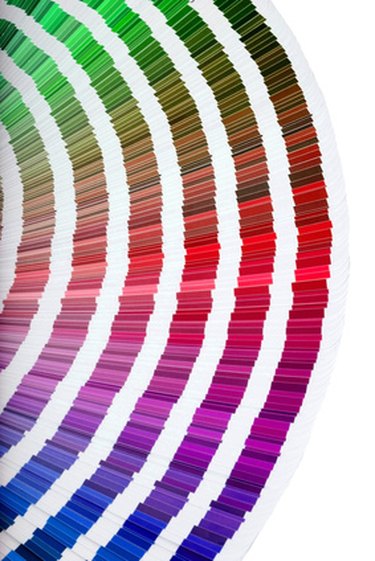
The Pantone Matching System is the gold standard of color for printing and is widely used by graphic designers and manufacturers of paint, fabric and plastics. Each year the company issues the Pantone Matching System Color Guides, which hold samples of all Pantone colors with the specific Pantone code of each printed on the back. The Pantone GOE Guide for Graphics provides RGB and LAB values for each color, but it is relatively simple to convert Pantone color code using Photoshop if you do not have a guide. Here's how.

Things You'll Need

  • Computer
  • Adobe Photoshop (either Elements or CS)
  • Internet access
Show More

Instructions

  1. Convert Pantone color code

    • 1

      Enter the Pantone color code in the Pantone Color Finder located here: http://www.pantone.co.uk/pages/pantone/colorfinder.aspx.
      The Web page will bring up a small swatch of that color.

    • 2

      If you are working on a PC, press the "Print Screen" button. If you work on a Mac, use your "Grab" application to capture at least the portion of the screen that has the color swatch.

    • 3

      Open Photoshop. If you use a PC, hit "Ctrl" and "V" to paste the page with the color swatch. If you are working on a Mac, simply open the edited image.

    • 4

      Open the DigitalColor Meter if you are working on a Mac and run the arrow over the color swatch. The DigitalColor Meter will convert the Pantone color into multiple codes, including five RGB codes, four Y'PbPr codes, three CIE codes and Tristimulus. If you're using a PC, use the Photoshop color picker. Click on the Pantone color with the dropper tool, and the RGB code will appear as the foreground color selection.

Tips & Warnings

  • Calibrate your monitor before completing any color-matching work to make sure the hue you select is accurate.

  • Pantone colors, and all colors for that matter, can vary on computer screens depending on your graphics card and monitor. Only the physical copy of the Pantone Color Guide can guarantee the true hue.

Related Searches:

References

Resources

Comments

You May Also Like

  • How to Find a Pantone Color

    Pantone is a system for locating, matching and referring to specific colors to resolve conflict in color matching. This system was primarily...

  • How to Convert Rgb to Pantone Colors

    To create printed materials that closely match the colors on a website, the Web's color standard of red, green and blue (RGB)...

  • How to Convert Hex Color to Pantone

    Convert online hex codes into Pantone colors for almost any printing method and material. Converting color information between mediums can be challenging.

  • How to Find Pantone Color in Illustrator

    Adobe Illustrator is a vector-based graphics program that uses mathematical formulas to create points, lines, curves and shapes. Illustrator comes with a...

  • How to Convert Pantone TPX

    Pantone is the name of an advanced system that standardizes color matching. Unique codes are used to identify each color shade. Colors...

  • How to Subtract Hex Code Colors

    Hexadecimal codes work on a base-16 number system that includes not only the digits 0 through 9, but also the letters a...

  • How to Convert to Pantone

    Pantone is a popular printing palette created and maintained by the Pantone company. It is most often used by professionals in high-quality...

  • How to Convert Pantone Colors

    There are several different color systems that any graphics artist must be aware of. One of these is Pantone. But graphics artists...

  • How to Convert Rgb Color to Pantone

    There are many considerations graphic artists make beyond how to complete their creations. Color management is a very important element in making...

  • Definition of the Pantone Matching System

    The Pantone Matching System, or PMS, is the internationally recognized standardized color-matching system that is privately owned by the Pantone Corporation. Because...

Related Ads

Featured