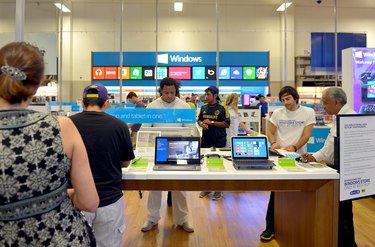
Microsoft Windows contains a range of security utilities designed to work in tandem with other security products, such as anti-virus software, to protect your computer. These include SmartScreen, which warns you when running unfamiliar programs, and Windows Firewall, which stops programs from reaching the Internet. You can also change Family Safety and User Account security settings. To start with any of these settings, press "Windows-X," click "Control Panel" and then change the view from "Category" to "Small Icons."
Windows SmartScreen
Video of the Day
Step 1
Open "Action Center" in the Control Panel.
Video of the Day
Step 2
Click "Change Windows SmartScreen Settings" on the sidebar.
Step 3
Choose whether SmartScreen should block unfamiliar files without administrator access, warn about unfamiliar files without blocking them or allow all files to run. Press "OK" when finished.
Windows Firewall
Step 1
Open "Windows Firewall" from the Control Panel.
Step 2
Click "Turn Windows Firewall On or Off" if you want to completely disable the firewall or turn it back on.
Step 3
Click "Allow an App or Feature Through Windows Firewall" to see a list of programs on your computer.
Step 4
Press "Change Settings" if the program list appears grayed out.
Step 5
Check the "Public" and "Private" boxes by any programs you want to grant Internet access on public and private networks, respectively. Private networks include home and office Internet connections, while public networks refer to hotspots in stores and public areas.
Step 6
Click "Allow Another App" if you don't see the program you need on the list. After changing as many programs' settings as you want, press "OK."
Family Safety
Step 1
Click "Family Safety" in the Control Panel.
Step 2
Pick a user account to modify. You can't use Family Safety with administrator accounts.
Step 3
Turn "Family Safety" to "On, Enforce Current Settings" to enable access to the rest of the settings. Set this option to "Off" to disable all Family Safety settings for the chosen account.
Step 4
Switch on "Activity Reporting" to receive computer usage reports for the account.
Step 5
Click "Web Filtering," "App Restrictions" or "Windows Store and Game Restrictions" to block specific websites, apps or games from the selected account. Choose "Time Limits" if you want to set a limit or curfew on the account.
User Account Control
Step 1
Open the "User Accounts" Control Panel.
Step 2
Click "Change User Account Control Settings."
Step 3
Pick a warning level with the slider and then click "OK." UAC displays messages when you or a program try to change your system settings. At the lowest setting, these messages never appear.
- Microsoft Windows: Windows Defender and Windows SmartScreen Fight Viruses and Other Malware
- Microsoft Windows: Windows Firewall From Start to Finish
- Microsoft Windows: Set Up Family Safety
- MSDN Blogs: Disabling User Account Control in Windows 8
- Microsoft Safety & Security Center: Windows 8: Explore New and Improved Security Features