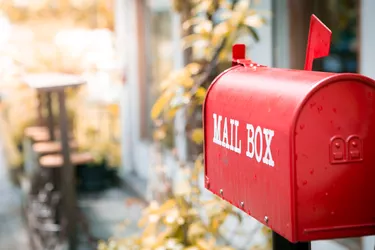
The United States Postal Service offers several options to track letters or packages. For both incoming and outgoing mail, you can determine where your item is and confirm when it reaches its destination. This service comes free with some mailing options, or you can purchase it as an add-on to USPS First-Class mail. Once you have a tracking number, you can go to the USPS website to get that information or have the USPS send it to you.
Basics of Tracking Numbers
Video of the Day
Different categories of mail service come with different tracking numbers and options. USPS Priority Mail and Priority Mail Express both provide tracking numbers as part of the basic service. These numbers appear on your receipt. If you're sending items via USPS First-Class mail, which doesn't allow for tracking with its basic service, add-ons such as Certified Mail or Registered Mail allow you to monitor your mail as it travels toward its destination.
Video of the Day
Using Online Tracking
You can track letters and packages online by going to USPS.com and clicking on the "Track & Manage" tab. If you register for a USPS.com account, which is free, you'll automatically see the status of your letters and packages when you log in. Otherwise, you can input up to 10 tracking numbers on that page, or up to 35 on the USPS Tracking page.
Getting Text Updates
If you prefer to track your items via text message, you have a couple of options for doing so. You can sign up at USPS.com to receive text alerts for a particular item, and request updates for all activity or just for delivery confirmation. USPS will push the latest information to you as it arrives. You also can text your tracking number to 28777 –or 2USPS – and receive a return text telling you your item's status.
Using a USPS Account
Registering for a USPS.com account eliminates the need to manage all the tracking numbers. You start by creating an account, then verify your identity by answering a series of questions. This gives you access to a dashboard that displays all your incoming packages.
Any packages sent to your registered address will automatically display on that dashboard. You also can add tracking numbers manually to monitor items sent to a different address.