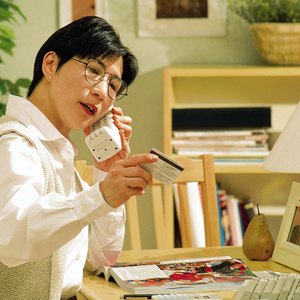


Debit cards make a convenient replacement for checks and cash. They also keep a purchase within your means to pay because you cannot buy something for more than you have in your checking account. Visa is one of a few groups that contract with banks to manage the issuance and use of debit cards. In fact, Statista reports that during the first quarter of 2018, there were 555 million Visa debit cards being used within the U.S. and 1.63 billion across the globe. When you receive your new Visa debit card, register its receipt by calling the Visa card activation phone number on the sticker and following the instructions.
What Debit Cards Do
Receiving Your Debit Card
Phone It In
Pull It Off
After you read the numbers, you will be told that your card has been activated and that you should remove the sticker and sign your card. If you don't sign the card, someone else could use it to make purchases where a signature but no PIN is required. Depending on your bank's service, the program might offer further services or options, such as instructions to change your PIN.
Activating Visa Gift Cards
Another type of Visa debit card is the Visa gift card, which is an excellent choice when you're in need of giving a birthday or Christmas present to a friend or loved one. If you purchase the card at a retail store, the cashier will load the card and then activate it for you. Buying online, however, will require the recipient to activate the card before using it by calling the telephone number listed on the card or in the mailing material.
References
- GiftCards.com: How to Activate Visa and Mastercard Gift Cards
- US Bank: Activate your U.S. Bank Visa Debit Card
- Wells Fargo: Activate and Use Your Debit Card
- Statista: Number of VISA Debit Cards in the United States and Worldwide from 1st Quarter of 2016 to 1st Quarter of 2018, by Region (in Millions)
- American Bar Association. "Automatic Teller Machines (ATMs) and the Law." Accessed March 24, 2020.
- CVV Number. "What Is My CVV Number and How Do I Find It?" Accessed March 24, 2020.
- Huntington National Bank. "How to Use a Debit Card: Online, ATM & Chip." Accessed March 24, 2020.
- Consumer Financial Protection Bureau. "What Is the Difference Between a Prepaid Card, a Credit Card, and a Debit Card?" Accessed March 24, 2020.
- Visa. "Visa Prepaid Reloadable Personal Cards." Accessed March 24, 2020.
- Consumer Financial Protection Bureau. "Understand the Fees You Will Pay." Accessed March 24, 2020.
- Federal Trade Commission. "Lost or Stolen Credit, ATM, and Debit Cards." Accessed March 24, 2020.
- Consumer Financial Protection Bureau. "What Is a Grace Period for a Credit Card?" Accessed March 24, 2020.
Writer Bio
An avid perennial gardener and old house owner, Laura Reynolds has had careers in teaching and juvenile justice. A retired municipal judgem Reynolds holds a degree in communications from Northern Illinois University. Her six children and stepchildren served as subjects of editorials during her tenure as a local newspaper editor.