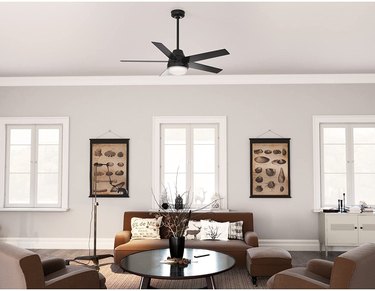
Many homeowners install a ceiling fan to help circulate heated or cooled air in their home and to provide overhead lighting. Hunter is a brand of ceiling fan that is sold in big-box stores. If your Hunter ceiling fan has stopped working, consider these troubleshooting tips.
Hunter Fan Stopped Working
Video of the Day
If your Hunter fan has stopped working, the first thing to check is the power.
Video of the Day
- Check the power switch to confirm that the fan is on.
- Pull the chain or use the "on" button on the remote to be sure the fan is turned on.
- Make sure the motor reversing switch is engaged; push it all the way to the right or left.
- Check the circuit breaker to confirm the fan is getting power.
- Make sure the blades can move freely by pushing them around by hand.
- Turn off power from the circuit breaker. Then, check all the connections under the canopy. Consult the wiring diagram in your owner's manual to be sure everything is correct.
- Check the plug connection in the switch housing. Confirm that all the terminals are firmly seated.
Hunter Fan Remote Not Working
If your ceiling fan remote isn't working, the issue may simply be dead batteries. If they are good, look for problems with the remote.
- Insert new batteries. If the remote works, the old batteries were depleted.
- Make sure your remote is still paired to the receiver. Consult your owner's manual for instructions on pairing your remote.
- Turn off power at the circuit breaker and then find the remote receiver in the ceiling fan's mounting bracket.
- If your fan has a pull chain with an accessory remote installed, confirm that the pull chain fan speed is set to high.
- If these steps don't work, you may need to replace the remote or receiver. Contact the manufacturer's support line.
Ceiling Fan Light Not Working
Some homeowners install a light kit on the ceiling fan. If the fan light isn't working, possible causes include wiring issues or malfunction of a part.
- Replace the bulbs, making sure they are the correct wattage for the light kit.
- Check for burn marks in the bulb socket, indicating a wiring issue.
- Turn off the power supply and examine the wires in the canopy and switch housing. Confirm that all wires are capped with wire nuts.
- If your Hunter fan was made between 2009 and 2019, its wattage limiter may have gone bad. Contact Hunter's customer service team.
Hunter Ceiling Fan Wobbles
Improper installation, warped blades, and loose screws can all cause a wobble.
- Turn off the fan. Use a tape measure to check that there's at least 30 inches of space from the blade tip to the nearest object for safety.
- Turn off the power at the circuit breaker. Remove the canopy cover and check the mounting bracket. Tighten the bracket with a screwdriver as needed.
- Use a screwdriver to tighten screws as needed on all Hunter fan parts, such as the mounting plate, downrod, blades, and light kit.
- Examine the blades for warping. Stand on a secure ladder and look down the edge of the blade toward the motor. Any curvature means the blade is warped. Check all the blades. If they aren't warped, make sure the screws that attach the blades are tight. If blades are warped, they can't be balanced.
- Use a balance kit to fix how weight is distributed on the blades. Hunter includes a balance kit with all ceiling fans. If you didn't keep the kit, you'll have to buy the parts to balance your fan.
Tip
You can download your Hunter ceiling fan manual at Hunter’s website. You’ll need the model number or fan's name.
If you're not comfortable working with wiring, contact a licensed electrician.