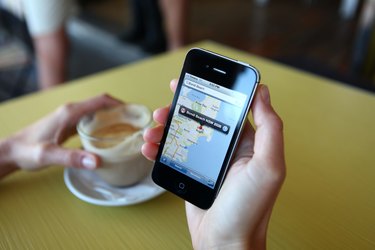
Google Maps is a popular tool for navigating by car, train or foot, but it doesn't by itself provide built-in directions for boat routes. However, you can use Google Maps to roughly plot a boating journey or use tools built around Google Maps to plot your route and estimate distances. In some cases, you may prefer to use a non-Google map designed specifically for boaters, whether online or on paper, that contains information such as water depths.
Google Maps and Marine Navigation
Video of the Day
Other than for the occasional commercial ferry, Google Maps doesn't provide boat directions the same way it provides step-by-step navigational help for drivers, transit riders and pedestrians. It can still be potentially useful in planning a sailing or boating route, however.
Video of the Day
First off, you can use Google Maps, including its satellite view, to take a look at an area you plan to be boating. You might be able to see where different lakes and rivers are located and identify any resources that are available on land nearby, from docks and marinas to businesses and parks. You can also use Google's My Maps feature to draw a rough route on a Google Map, which you can then print out or take with you on a smart phone or computer.
You can also use sailing tools built around Google Maps, such as distance calculator Sea Seek, which uses Google Maps to compute the rough length of a potential route or the distance between two points.
Google Maps Alternatives for Boaters
One problem with using Google Maps for boating is that it doesn't include much of the information usually included on boating maps, called nautical charts, such as water depths and information about navigational hazards, landmarks and local regulations. Commercial ships are legally required to carry up-to-date official nautical charts, and many recreational boaters insist on doing so as well.
You can obtain official nautical charts from the National Oceanic and Atmospheric Administration for the area where you are going to be boating to plan your route. They're available either on paper or online as a free download. You can also use a free service called OpenSeaMap to see certain navigational information.
Many boats now come equipped with GPS devices, and some of these include built-in navigational map information. Some smart phone apps also include nautical charts, as well as other information such as weather, location of fishing sites and recommended boating routes.
- Sea Seek: Google Maps Distance Calculator
- GPS Navigation Systems: How to Use Google Maps for Marine Navigation
- OpenSeaMap: Home Page
- Navionics: Boating Marine and Lakes
- Ocean Navigator: Navigation by Google Maps
- Google: Draw Lines and Shapes in My Maps
- NOAA: NOAA Nautical Chart Catalog and Chart Viewer
- American Nautical Services: U.S. Carriage Requirements for Nautical Charts & Publications on Board Ships
- Boating Magazine: Best Apps for Boaters