
How to Charge the EZ Go Golf Cart
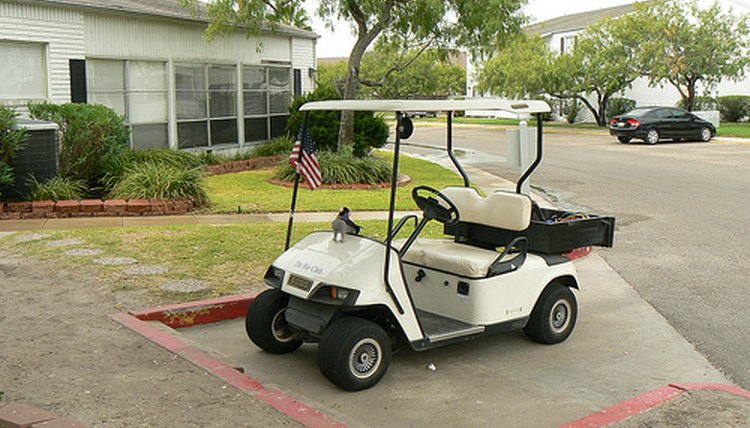
Charging the EZ Go golf cart is done with the EZ Go charging system, which may be mounted overhead, on a shelf or on a wall where there is ready access to the cart parking area. The length of the process amounts to about half-a-day for every 36 holes, with no deep discharge requirements for the batteries--unlike the battery in a cell phone, the battery has no "memory" that requires this step--meaning carts can be charged fully every time and returned to service quickly.
Check the water level in each battery and add water if necessary. Tighten the battery caps securely.
Plug the battery charger in or otherwise connect it to a 120 VAC source before connecting it to the cart. Connecting the charger after connecting it to the cart can cause battery damage.
Plug the charger into the charging receptacle on the cart. The charger's LED lights will flash green when the cart is charging. A full charge following 36 holes will require 10 to 14 hours.
The charger will begin charging as soon as it is plugged into the cart. Allow the charger to complete the full charging cycle; unplugging the charger before the cycle is complete will result in damaged batteries.
When the LED displays long red flashes, the battery is fully charged. Remove the charging plug from the cart.
Tips
Keep track of how long the cart is operated between charges. With this information, you will know exactly how many hours of charging are required for a specific number of hours of operation.
Warnings
Charge the batteries in a well-ventilated area.
References
Tips
- Keep track of how long the cart is operated between charges. With this information, you will know exactly how many hours of charging are required for a specific number of hours of operation.
Warnings
- Charge the batteries in a well-ventilated area.
Writer Bio
Will Charpentier is a writer who specializes in boating and maritime subjects. A retired ship captain, Charpentier holds a doctorate in applied ocean science and engineering. He is also a certified marine technician and the author of a popular text on writing local history.