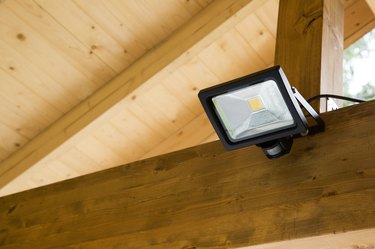
How to Troubleshoot Outdoor Security Lights

How to Troubleshoot Outdoor Security Lights thumbnail
Security Lights See All Kinds of Weather

Any equipment that is exposed to the weather will have problems at some point. This is especially true of outdoor security lights because they are very bright and they cycle on and off a lot, which can cause rapid heating and cooling. This article will help you to find and repair problems when they happen. Does this Spark an idea?

Things You'll Need

  • Multi-tester with straight and alligator leads
  • Spare bulb
  • Flathead screwdriver
  • Phillips screwdriver
  • Spare parts
Show More

Instructions

  1. Basic Checks

    • 1
      Basic Security Light Circuit

      Check the Power Supply. Security lights don't work without power, so the first thing to check when troubleshooting outdoor security lights is the power supply. Is the switch turned on? Is there a breaker tripped in the panel? Do other lights or outlets on the same circuit work? If there is a switch on the security lights, you will sometimes have to wait up to fifteen minutes before the lights will come on after the power is turned on. Turning off the power at the switch also tends to reset the timer and sensitivity to their default settings.

    • 2

      Check the light bulbs. I have seen a time when someone wasted hours trying to troubleshoot an outdoor light circuit that was not working. Because it had four different light bulbs, he figured at least one of them would work. What he failed to realize was that the bulbs all came out of the same package and were part of a bad batch from the manufacturer. Use a light bulb that you have tested elsewhere to make sure it works, or take one of the bulbs from the security light with the problem and see if it works in another fixture. Remember that you should never touch the surface of high-intensity halogen bulbs. The oils from your skin can work with the extreme heat to crack the glass. Always handle them with cloth gloves or a clean rag.

    • 3

      Check for artificial lights in the area. Most security lights actually have two sensors: a photocell that keeps them from coming on during the day and a motion sensor. The photocell can sometimes be tricked by other lights in the area into thinking it is day. As long as there is light on the sensor, it will not come on. In some cases the security lights themselves will light the sensor and cause it to cycle off.

    • 4

      Check for interference. The security light motion sensor must have an unobstructed view of the area being monitored. Tree branches, leaves, bird nests and other things can keep it from sensing motion.

    • 5

      Check for position. Different motion sensors have different characteristics. Some can see everything within a 180-degree range of vision, while others are designed to be able to see 270 degrees or more. Make sure the sensor is looking in the right area. Remember that a motion sensor is much better at seeing movement across its field of view than it is at seeing motion directly toward or away from the sensor.

    • 6

      Check sensitivity. If your lights come on every time a car drives past or the neighbor's cat jumps over your fence, you might want to either point the sensor down a bit or reduce the sensitivity.

    • 7

      Check the time setting. Most outdoor security lights have a switch or dial on them that allows you to set how long it will stay on. These lights often have a test setting that will only leave the light on for a few seconds. This allows you to move around in the field of view and verify that it comes on when you want it to.

    More detailed troubleshooting

    • 8

      Check the wiring. If you have checked everything above and the security lights will still not turn on, then turn off the power and check the wiring. When you open the electrical box behind the fixture you will see a white and a black wire coming from each light and three wires from the sensor (white, black and red). Each of these may also have a green or bare copper ground wire. The black wire from the sensor should be connected to the power supply and the red wire to the black wires from the lights. The white wires from the lights and the sensor should all be connected to the white wire from the power supply.

    • 9

      Bypass the sensor. Occasionally sensors go bad. They get water or dirt in them or just quit working. Try bypassing the sensor. Disconnect the black and red wires from the sensor and connect the power line (the one that was connected to the black wire from the sensor) directly to the black wires from the lights (which were connected to the red wire from the sensor). Turn the power back on and see if the lights work. If they do, replace the sensor. Most places that sell security lights also sell replacement sensors.

    • 10

      Test for power at the light socket. If the lights did not come on in the previous step, then the problem is most likely not in the sensor. Break out your multi-tester and set it to read house voltage (120 volts in the U.S., 240 volts in Europe). Remove a bulb from one of the security lights. Take the leads and carefully check for power in the light socket. If you have power at the light socket then turn off the power, replace the bulb and reconnect the sensor.

    • 11

      Test for power in the light box. Turn the power off. Open the light box and remove the wire nut from the power line that is now connected directly to the light sockets. Use alligator leads to connect the multi-tester to this power wire and connect the other lead to the ground wire. If this circuit is protected by a ground fault circuit interrupter (GFCI) you will have to remove the wire nut from the white wires and connect the second lead there. Stand clear and turn on the power. If the multi-meter shows power, then turn the power back off and replace your security light. If there is no power then your problem is in the house wiring, which is beyond the scope of this article. Call an electrician.

Tips & Warnings

  • Working with live electricity is extremely dangerous. If at all possible, turn off power before you work on any electrical device. When you need the power on in order to troubleshoot, stay well clear of live wires and have someone standing by to turn off the power quickly in an emergency. Turn power off while making connections or removing wire nuts. If possible, make sure that someone in the area knows CPR.

Related Searches:

References

  • Photo Credit Images and Drawings by Walter H. Boelter

Comments

You May Also Like

Related Ads

Featured