eHow launches Android app: Get the best of eHow on the go.

How To

How to Delete an AOL Email Address

Contributor
By Mary-Kathleen Freeman
eHow Contributing Writer
(0 Ratings)

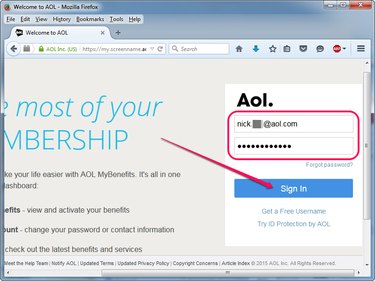
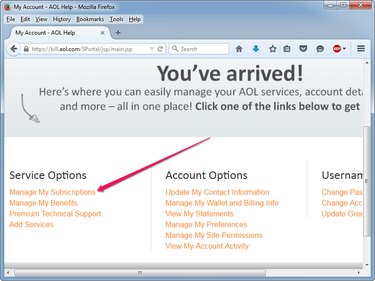
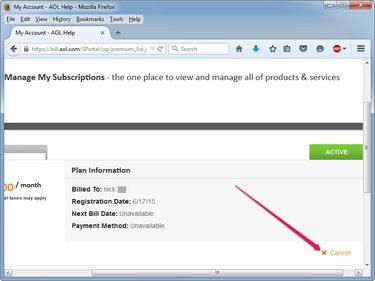
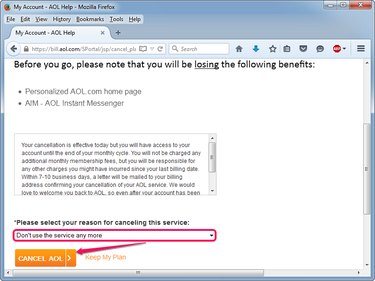
It's relatively easy to create an e-mail account with AOL, but unfortunately not quite as easy to close. AOL offers e-mail addresses to those with paid AOL accounts, as well as to those who create AOL Instant Messenger screen names. No deactivation link is provided for users of either of these services, which means a cancellation requires a phone call, letter or fax.

Difficulty: Moderately Easy
Instructions
  1. Step 1

    Do not sign into your e-mail account for six months to automatically deactivate it, if closing a free account. There is no way to fully delete an AOL e-mail account tied to an AOL Instant Messenger account.

  2. Step 2

    Call 1-888-265-8008 to cancel your account if you are subscribed to AOL with a paid account. This is their direct cancellation line.

  3. Step 3

    Say "cancellation" when your call is answered. You will initially speak to an automated teller, but after answering your security question you will be transferred to a live operator. Answer "no" to all offers they present you with.

  4. Step 4

    Print and fill out a simple.pdf form online at a website on which people can cancel their Internet provider (see Resources for link), if you wish to avoid a phone call. Mail the completed form to AOL at PO Box 65100, Sterling, VA 20165-8800. The form can also be faxed to 703-433-7283.

  5. Step 5

    Follow up on the deletion of the e-mail account to ensure it has been deactivated, especially if using a paid account.

Tips & Warnings
  • If you are a paid AOL subscriber, secondary e-mail accounts can be deleted by the Master Account holder online. The Master Account can only be closed by following the above steps.
Resources
Subscribe

Post a Comment

Post a Comment

Related Ads

  • Have you done this? Click here to let us know.
I Did This
Get Free Internet Newsletters

Copyright © 1999-2009 eHow, Inc. Use of this web site constitutes acceptance of the eHow Terms of Use and Privacy Policy.   en-US Portions of this page are modifications based on work created and shared by Google and used according to terms described in the Creative Commons 3.0 Attribution License.

Demand Media
eHow_eHow Technology and Electronics