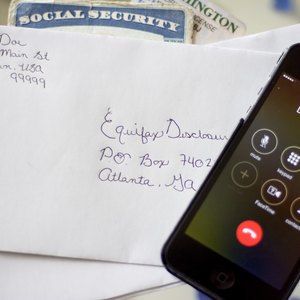


The three companies that handle credit reporting are Experian, Equifax and TransUnion. Any time you check your credit report, the information comes from one of these three agencies. You don’t need to go through a third party to get this information and it does not require a subscription or a membership to see it. You can view a copy of your credit report online, request a copy by phone or request your credit report by mail.
Information to Include

When you request a copy of your credit report, you’ll have to provide identifying information. At a minimum you’ll need to include your name, current address, date of birth and Social Security number. You’ll also need to include a copy of your identification, such as your driver’s license and Social Security card.
Getting a Free Credit Report

According to the Fair Credit Reporting Act, you are entitled to get one free credit report per year from each of the credit reporting agencies. You can ask for them all at the same time or you can choose to spread them out over the entire year, asking for a different one every four months. To request your free credit report by mail, fill out the Annual Credit Report Request Form and mail it to Annual Credit Report Request Service, P.O. Box 105281, Atlanta, GA 30348-528. According to the Federal Trade Commission, this is the only authorized source for free credit reports.
Ordering From Experian
Experian does not provide a mailing address for consumers to use when requesting a credit report directly from the company, and in fact discourages the practice. The Experian website instead requests that customers call 1-888-397-3742 to request that a credit report be mailed to them. Cost will vary by state.
Ordering From Equifax

Equifax advises consumers to obtain a free credit report by mail using the Annual Credit Report Request Service. However, in some cases you may be entitled to an additional free report, which can be obtained by sending the completed credit report request and copies of your identifying documents to Equifax Disclosure Department, P.O. Box 740241, Atlanta, GA 30374. You will be contacted for payment if you are not entitled to a free copy of your credit report at the time you order.
Ordering From TransUnion
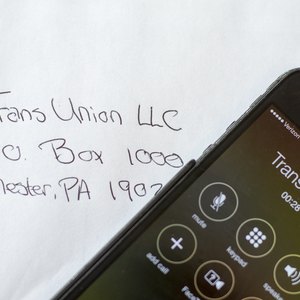
Purchase your credit report from TransUnion by sending your request to TransUnion LLC, P.O. Box 1000, Chester, PA 19022. Call them first at 800-888-4213 to find out the cost and select your payment method. TransUnion does not require you to fill out a specific form, but you’ll need to include your identifying information.
References
- My FICO: About Credit Reports
- Federal Trade Commission: Free Credit Reports
- Federal Trade Commission: Annual Credit Report Request Form
- Experian: Credit Advice
- Experian: Why you may be asked to mail your request for a credit report
- Equifax: Request to Obtain My Credit History Report
- Federal Trade Commission. "Fair and Accurate Credit Transactions Act of 2003." Accessed Feb. 9, 2020.
- Federal Trade Commission. "Free Credit Reports." Accessed Feb. 9, 2020.
- Equifax. "Can I Get My Free Credit Report From Annualcreditreport.com in Braille, Large Format, or Audio Format?" Accessed Feb. 9, 2020.
- USA.gov. "Credit Reports and Scores." Accessed Feb. 9, 2020.