The icons in Windows 8.1, such as the desktop icons, are not permanently set. Similar to other customizable areas of Windows, such as the Start Screen, the operating system's icons can be personalized. Use the Change Icon utility to select a new icon from the list of Windows icons or browse to the location of an icon you want to use.
Change A Desktop Icon
Video of the Day
Step 1
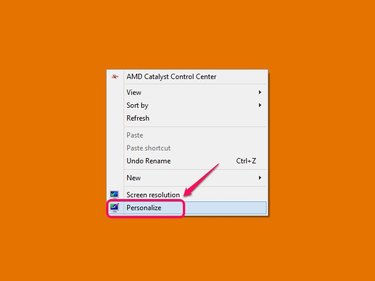
Right-click an empty area of your display's desktop and then select Personalize from the menu box to open the Personalization window.
Video of the Day
Step 2
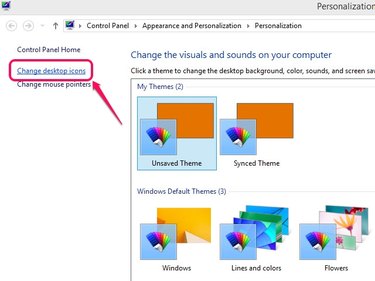
Click Change Desktop Icons on the window's left side to open the Desktop Icon Settings dialog box.
Step 3
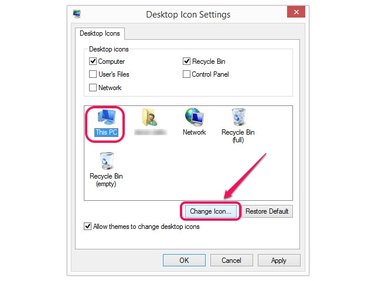
Select the icon that you want to change and then click the Change Icon button to open the Change Icon box.
Step 4
Choose the icon you want to use from the list of icons in the box and then click the OK button. If you have an icon saved in another location, click the Browse button and then browse to the icon.
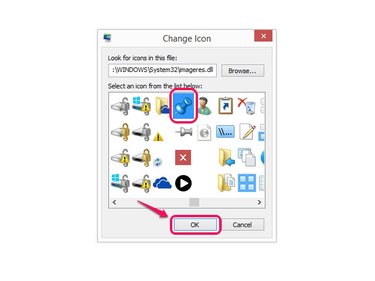
Step 5
Click the Apply button and then click OK to change the icon.
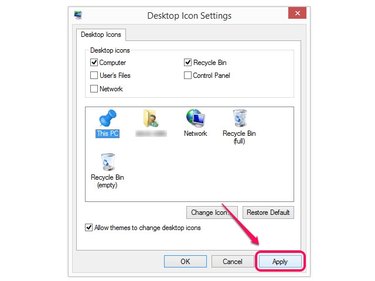
Change A Folder Icon
Step 1
Browse to the folder icon that you want to change and then right-click the item.
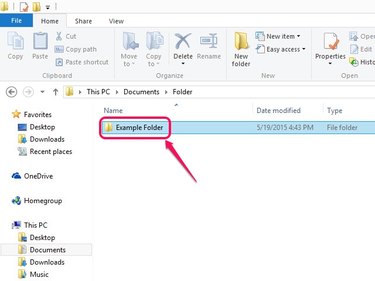
Step 2
Select Properties from the pop-up menu to open the Folder Properties dialog box.
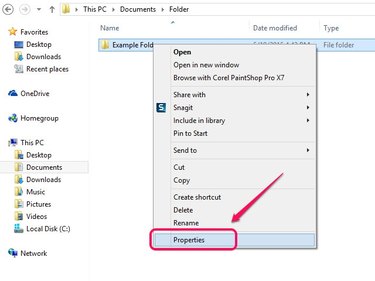
Step 3
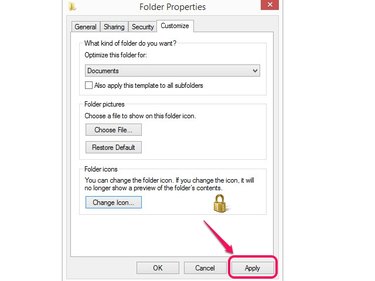
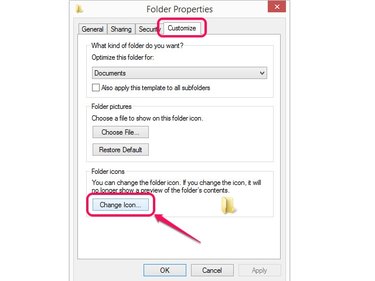
Click the Customize tab and then click Change Icon to open the Change Icon for Folder dialog box.
Step 4
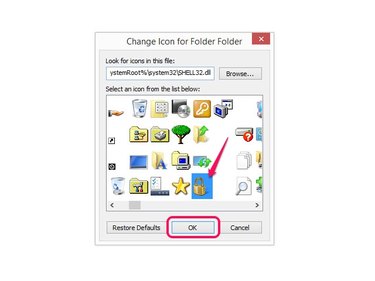
Select the icon you want to display and click OK. Click the Browse button to browse to an icon in a different location.
Step 5
Click Apply and then OK to set the new icon.