Overview
Listen, we get it. Many books you find in the “health” section of the book shop can be a little dry, even boring. They read more like textbooks than page-turning thrillers. But some health books are well worth your time —delivering knowledge that can help you build muscle, burn fat, improve your health, or just question what you “think” you know about wellness. To save you the work of finding these diamonds in the literary rough, we and our eHow UK advisors read through shelves of books to determine which were the most helpful. Some are classics, some are controversial, and others you probably have never heard of. But all of these 21 books offer insight that can help you live better.
- Many books you find in the “health” section of the book shop can be a little dry, even boring.
- To save you the work of finding these diamonds in the literary rough, we and our eHow UK advisors read through shelves of books to determine which were the most helpful.
Sugar Nation

Is there an underlying cause of heart disease, diabetes, cancer, Alzheimer’s and obesity that can be connected to a misguided food industry? In Sugar Nation, author Jeff O’Connell, a man who could only be described as skinny and healthy, documents his own diagnosis of diabetes, and uncovers what happens to your body under the toxic burden of the standard diet. Filled with information from researchers and studies, in-depth interviews and writing that will keep you engaged throughout, Sugar Nation is a must-read for anyone who thinks that being “healthy” will keep them safe from disease.
- Is there an underlying cause of heart disease, diabetes, cancer, Alzheimer’s and obesity that can be connected to a misguided food industry?
- In Sugar Nation, author Jeff O’Connell, a man who could only be described as skinny and healthy, documents his own diagnosis of diabetes, and uncovers what happens to your body under the toxic burden of the standard diet.
Good Calories, Bad Calories

The argument that eating fat is a good thing reached the mainstream after this book by science writer Gary Taubes hit the shelves. Although science began showing the benefits of consuming fats years before, Taubes showed how a diet filled with refined carbohydrates was the real cause of many health issues —and how fat, despite being vilified, is a necessary part of your diet. While many of Taubes assertions are still controversial, his eye-opening book is a must-read for anyone who’s ever concerned themselves with food.
Maximum Strength
Stop wasting your time in the gym. That’s the bottom line of this book by Eric Cressey, who runs one of the most successful gyms on the other side of the Atlantic and is among the top trainers for elite athletes in multiple sports. Maximum Strength lays out a four-phase program that can help anyone become bigger and stronger, and see results—while spending less time in the gym.
Starting Strength

What’s one of the biggest problems with going to the gym? You perform exercises incorrectly and follow workouts that aren’t designed for real (non-steroid fueled) people. Starting Strength is the ultimate guide to teaching you how to successfully learn how to train with barbells. The highlights include easy-to-understand directions that will help you master essential moves like the squat, overhead press, deadlift, bench press and other multi-muscle exercises. Whether you’re a man or a woman, an expert or a beginner, this book is an outstanding resource that teaches the fundamentals.
Science and Practice of Strength Training
If you’ve ever wanted to become a workout expert capable of designing your own training program, this is your book. Based on data gathered from more than 1,000 Eastern European and world-class athletes (and more than 30 case studies), authors Vladimir Zatsiorsky and William Kraemer focus on how you can build a training approach that improves your performance on any playing field —and build strength and muscle in the process. The book is more conceptual in nature than some others, and takes an educational approach to helping you understand the science behind why exercise programs are built the way they are —and why a good program is much more than just combining your favorite exercises.
- What’s one of the biggest problems with going to the gym?
- Based on data gathered from more than 1,000 Eastern European and world-class athletes (and more than 30 case studies), authors Vladimir Zatsiorsky and William Kraemer focus on how you can build a training approach that improves your performance on any playing field —and build strength and muscle in the process.
The New Encyclopedia of Modern Bodybuilding

Considered one of the best-known books on weight training, this book comes from the man who in many ways propelled the fitness movement in the 1980s and ‘90s. In this book, Arnold shares his strength training and diet advice for building muscle and stripping fat off your body. The most interesting sections tap into his thoughts on sports psychology and teach motivational techniques to become better. A surefire favourite for anyone who has an appreciation for bodybuilding.
Strength Training Anatomy

This book is as much a joy for its more than 600 full-colour illustrations as it is for its written content. Few books have the ability to help you understand how each exercise works as this deeply anatomical dissection of the science of weight training. Training geeks will love the science, while beginners will appreciate understanding where they should “feel” each exercise.
- Considered one of the best-known books on weight training, this book comes from the man who in many ways propelled the fitness movement in the 1980s and ‘90s.
- Few books have the ability to help you understand how each exercise works as this deeply anatomical dissection of the science of weight training.
The 4-Hour Body
What lengths would you go to find out how to “hack” the human body? That’s exactly what author Tim Ferriss set out to do in his best-selling book The 4-Hour Body. Controversial and hotly debated, Ferriss turned his body into a first-person science experiment and shared what he discovered about how to lose weight, eat dessert without gaining fat, last longer during sex, sleep less, and pack on superhuman amounts of muscle. At the very least, it’s an entertaining read and a reminder that we’re still uncovering new mysteries of the human body.
Gourmet Nutrition

A unanimous favourite of the eHow UK advisors, this book comes from the creators of Precision Nutrition, one of the leaders in body transformation. This cookbook offers more than 300 pages of delicious, healthy recipes along with complete nutritional information on each. The best part? Mouth-watering pictures that will leave you eagerly anticipating each new meal without any worries or guilt.
- What lengths would you go to find out how to “hack” the human body?
- A unanimous favourite of the eHow UK advisors, this book comes from the creators of Precision Nutrition, one of the leaders in body transformation.
Healing Through Whole Foods
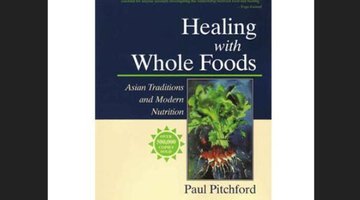
For those interested in Traditional Chinese Medicine or practitioners of Eastern techniques, Healing with Whole Foods has long been a go-to reference guide. The book discusses the natural power of foods for alleviating many illnesses and injuries, and includes a list of 300 (mostly vegetarian) recipes.
Crazy Sexy Diet
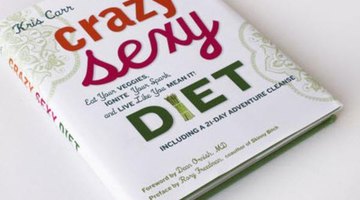
Following the success of her documentary Crazy Sexy Cancer, wellness warrior Kris Carr shares tips from her holistic living program, including the vegan diet she uses to cleanse her body, fight off disease, and feel energised. Promoted as a guide to help “put you on the fast track to vibrant health, happiness, and a great ass,” Carr delivers her tips in a fun, friendly voice that keeps you entertained —even if you can’t imagine living on just greens and raw foods.
Yoga Cures
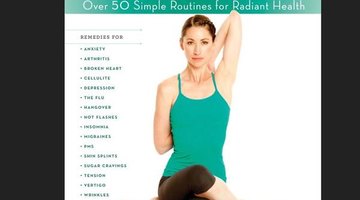
Arthritis. Stress. Anxiety. Hangovers. You name a problem, and yoga instructor Tara Stiles has a cure for you. In her second book, Stiles takes a practical approach to yoga, teaching you not only how to improve for improvement’s sake, but how to use the various poses and routines to target more than 50 common ailments. From beginning yogi’s to the advanced gurus, Stiles’ program can help you find a place for yoga in your life.
- For those interested in Traditional Chinese Medicine or practitioners of Eastern techniques, Healing with Whole Foods has long been a go-to reference guide.
- In her second book, Stiles takes a practical approach to yoga, teaching you not only how to improve for improvement’s sake, but how to use the various poses and routines to target more than 50 common ailments.
A Guide to Flexible Dieting

There’s a reason so few people enjoy diets —they’re often a little too intense and restrictive. While these extreme approaches can help people lose weight in the short run, they’re not sustainable —and are often the reason so many people struggle with their eating behaviours. A Guide to Flexible Dieting addresses the common mistakes of extreme diets, and shows how to take a more realistic, stress-free approach for developing an eating plan that works for you.
Advanced Nutrition & Human Metabolism

There are books and novels, and then there is Advanced Nutrition and Human Metabolism—an indispensable textbook for anyone who wants to understand human metabolism. The book is filled with a wealth of knowledge, and is designed for those pursuing an undergrad degree in nutrition —so grab yourself a biology dictionary and a few pens, because you’ll probably need to make some notes. If you want a university understanding without paying the pricey tuition fees, pick up this book.
- There’s a reason so few people enjoy diets —they’re often a little too intense and restrictive.
- The book is filled with a wealth of knowledge, and is designed for those pursuing an undergrad degree in nutrition —so grab yourself a biology dictionary and a few pens, because you’ll probably need to make some notes.
What to Eat

A brilliant concept: Take a doctor with no bias in the diet game, and have her provide an aisle-by-aisle tour of your average supermarket. In a world filled with marketing hype, What to Eat provides a rare look at what it takes to be healthy—and how many lies and misconceptions surround many of your favourite foods.
Which Comes First: Cardio or Weights?
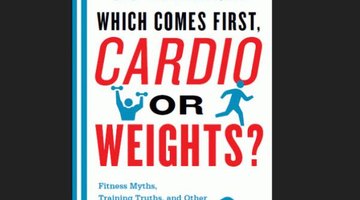
This is a fitness favourite of renowned bariatric doctor, Yoni Freedhoff. In it, physicist and award-winning journalist Alex Hutchinson takes a scientific approach to proving—and disproving—many commonly held beliefs. From helping you become more efficient, to finally answering whether sex will negatively affect you the night before a competition, this book leaves no stone unturned. “In my mind this is a truly important read for anyone serious about fitness, and an absolute must buy for anyone involved in training others,” says Freedhoff.
Men's Health Power Training
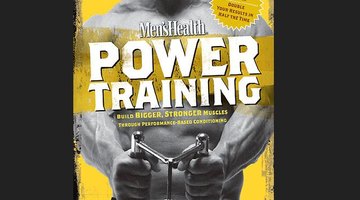
Take one of the world’s best strength coaches and give him a platform to share all of the evidence-based ways that strength can be developed, and you have the recipe for Power Training. Robert Dos Remedios, a former NSCA Strength Coach of the Year, provides a balanced and comprehensive model to training that allows you to build exercise around your schedule. Filled with programs backed by real world results, this is a balanced approach to training filled with exercises that you won’t see at your average gym.
- This is a fitness favourite of renowned bariatric doctor, Yoni Freedhoff.
- Filled with programs backed by real world results, this is a balanced approach to training filled with exercises that you won’t see at your average gym.
Appetite for Profit
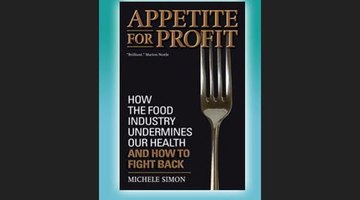
If you’ve ever wondered about the corruption in the food business, then you’ll want to pick up this book. Appetite for Profit provides an inside look at how “Big Food” is a big cause of many public health issues—and yet through clever marketing, presents itself as the answer to problems it creates. Whether you consider this a conspiracy theorist’s anthem or a realistic look at the hidden secrets of one of the world’s biggest industries, it’s an educational and eye-opening look at why the obesity crisis will be hard to overturn.
Ignite the Fire
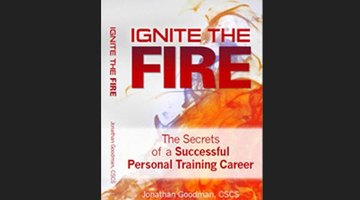
Many books try to show you, the trainee, how to build muscle, lose fat, and eat better. But if you’re a personal trainer, there are very few books designed to help you succeed. That’s why Jon Goodman, a trainer and head coach of the Personal Trainer Development Center, spent years compiling his knowledge and experience to help prepare the modern trainer to thrive in the business. From getting the right education to marketing your brand in an ever-changing social media landscape, Goodman shares the secrets of how to land your dream job in fitness, build a client list, and make money in the fitness game.
- If you’ve ever wondered about the corruption in the food business, then you’ll want to pick up this book.
- From getting the right education to marketing your brand in an ever-changing social media landscape, Goodman shares the secrets of how to land your dream job in fitness, build a client list, and make money in the fitness game.
Food Matters
Are organic foods really healthier? Can you eat better without breaking your budget? Award-winning author and food expert Mark Bittman provides a simple path to how you can live healthier by paying attention to where your foods come from. Along the way, he offers nutritional guidelines and cooking principles that might help shrink your waistline while pleasing your taste buds.
New Rules of Lifting for Life

Just because you age doesn’t mean you need to slow down. Authors Lou Schuler and Alwyn Cosgrove tackle one of the most important issues facing an aging population —how to exercise as you get older so that you can stay active, avoid aches and pains, and still look good at any age. Designed for anyone who might have limitations or doubts, this book reaffirms that you’re never too old to learn a new trick—or exercise.
- Are organic foods really healthier?
- Authors Lou Schuler and Alwyn Cosgrove tackle one of the most important issues facing an aging population —how to exercise as you get older so that you can stay active, avoid aches and pains, and still look good at any age.