

Can I Run Two Freezers on One Power Strip?

Although power strips work well for small appliances like lamps and alarm clocks, trusting them to handle the heavy load of a large appliance can be a costly and dangerous mistake.
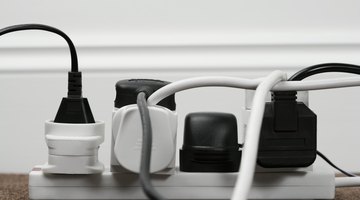
Power strips may be the easiest and least expensive solution to the problem of a house with too many electronics and appliances and not enough outlets. However, large appliances, such as freezers and refrigerators, should be connected only to permanent building outlets because of the heavy load of electricity required to power them.
Power Strip Safety
Make sure you’re comparing watts to watts and volts to volts and amps to amps. People are used to 120 volt outlets, so if a power strip rating gives the maximum power in watts in amps, it can seem confusing. The basic formula is: Appliance wattage divided by household circuit voltage would determine the number of amps. If you tend to be mathematically challenged, ask a salesperson for assistance.
Never plug one power strip into another, otherwise known as “daisy chaining.” This is not how power strips are meant to be used, and this practice can create a serious fire hazard.
Immediately replace any power strips that start to show any signs of wear. This can include a cord that is split or cracked plastic casing. You might also notice the plugs not fitting as tightly into the sockets as they once did, which is another sign of wear and that the strip should be replaced.
Underwriters Laboratories, an independent safety company, has developed the safety standard for the power strip industry by requiring UL certification. According to John Drengenberg, consumer safety director at UL_,_ “Make sure the product you buy is UL certified. That’s your one indication the manufacturer has met safety standards, and it could pay off for you down the road. We look at fire hazard, electrical shock hazard and even the personal injury hazard with things like sharp edges.”
The Difference Between Power Strips and Surge Protectors
Many people mistakenly assume that all power strips are equipped with surge protectors, and they are awakened quite rudely when their pricey desktop computer is fried to a crisp while plugged into an ordinary power strip during a power outage or other event that causes a spike in power.
Power Strips: A power strip is essentially an extension cord that can accommodate multiple plugs. Its main function is to create more outlets in a room where there are not enough without dealing with long, often awkward, extension cords. Many power strips have a master switch that cuts off the power to all of the electronics plugged into it. Some are also equipped with an internal sensor that will cut off the power supply if the device overheats.
Each power strip has a rating as to how much power it can handle. It’s important not to exceed that number because doing so may cause the power strip to overheat, which, in the worst-case scenario, could lead to a fire.
Surge Protectors: A surge protector, or surge suppressor, shields your electronics and small appliances from a sudden boost in power. Contrary to what many believe, this rarely happens from lightning; the causes are more likely to be power outages and tripped circuit breakers. A surge protector will prevent that surge from ruining your new TV or expensive laptop.
Consumers should purchase surge protectors that have a low suppressed voltage rating. These ratings range from 330 volts to 4,000 volts. Those with ratings on the lower end of the voltage scale will kick into action sooner, which means more protection for your personal equipment you have plugged into it.
Tip
If you regularly use and depend on power strips in your home, you should consider having more electrical outlets installed. Like extension cords, power strips are not intended to be long-term replacements for electrical outlets.
Warning
Any and all electrical work should be completed by an experienced, licensed electrician.
References
- U.S. Department of Energy, Fermi National Research Alliance: Extension Cord and Power Strip Safety
- Penny Electric: Basic Safety Guidelines for Using Power Strips
- SafeBee: Guide to Power Strips and Surge Protectors
- Repair Daily: Power Strips VS Surge Protectors
- ProtectAmerica: Power Strip and Surge Protector Safety
Writer Bio
Jess Jones worked for a real estate broker in both listing, assessing, and helping to flip residential properties for several years while attending graduate school. After obtaining her own real estate license, she took a position working for a custom home builder. Jones worked closely with clients in finalizing plans, making specific selections for each new build, and helping to solve problems in the building process. She holds both a B.A. and an M.A. in English.
More Articles

