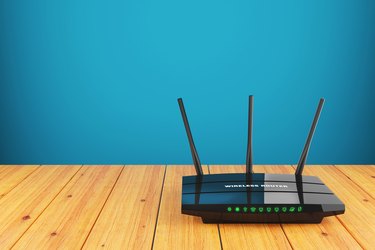
The Arris modem login process is the same for cable and internet modem models. The cable modems manufactured by Arris are actually dual purpose and they use WiFi to connect televisions for streaming purposes. These are the SURFboard specific models designed for gamers and cable television. Regardless, the process remains consistent for all Arris WIFI modems.
How Arris Cable Modems Work
Video of the Day
The Arris cable modems are a modern hybrid made specifically to serve the streaming markets. More and more people are watching television and movies through streaming services which requires a high speed internet connection.
Video of the Day
This connection is supplied by a fiber optic cable that is connected to a wireless router or modem. Arris has the modem that hooks up directly to the cable while transmitting the wireless signal to the television and any other connected devices like laptops, tablets and smartphones.
The Arris cable modem is designed to deliver a high speed connection to ensure streaming services receive the highest quality display without interruptions. The SURFboard modems are made for this specific purpose but they also make a number of other wireless routers that function well with high speed connections and streaming services.
Reasons to Login
The login process is only needed to setup the modem or router. It connects through the Arris router IP and manages the network. In some cases, you may require a login to reset the IP or manage the network settings.
Most users however, you will login on the initial setup and the modem will run without issue for a very long time. For this reason, it helps to document the login process and keep that paper under the modem. This will save a significant amount of time when issues arise.
The login process is used to reset the IP address if an IP conflict occurs. This happens when multiple devices are crossing the network. You may also find a need to reset the password for security purposes. While resetting the password is not a common need, it can help protect your network. Always reset the password if un-trusted sources have been granted temporary access to the network as well.
Arris Router Login Process
Open a web browser on a device connected to the network to get started. Enter the IP Address "192.168.100.1" into the address bar. You should be using the same address bar where you normally type website addesses. After entering the numbers with the proper punctuation, press "Enter."
After entering the number, the Arris login page will display. Click on the wireless option to access the cable modem. At this point, you will need the original admin user name and password to access the modem. Type these credentials into the appropriate boxes and press "Enter" to login. The admin control panel will display if you entered the correct information.
If The Login Fails
If the login fails, you likely entering the wrong username or password. Losing these credentials is not uncommon, especially if you have changed them in the past. If the modem has not been customized with unique login credentials however, you are in luck. Many modem models come with a default username and password.
Try the username "Admin" and for the password, use either "password," "1234" or leave the space blank. Also, it is worth checking the label on the bottom of your modem. Some models print the credentials right on the label.