Text a cell phone from your computer when you do not have access to your cell phone or text messaging service. You can send messages from your computer either through your email or through programs designed for this purpose, such as Google Voice or Pinger for your browser or your desktop.
Sending a Text Message Through Email
Video of the Day
Send a text to a cell phone using any email service as long as your computer has an Internet connection.
Video of the Day
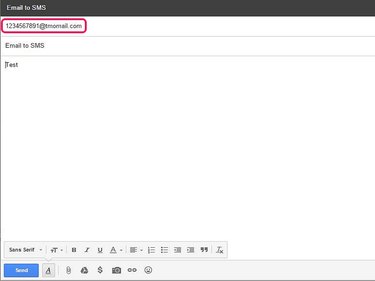
To send a text via email, use the 10-digit phone number of the person you are texting as the address and the carrier he uses as the domain. For example: (phone number)@
Using Google Voice to Send a Text
If you do not already have one, register for a Google account to sign up for Google Voice.
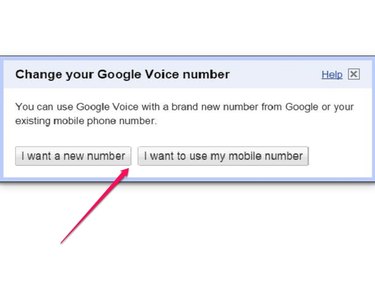
After registering for Google Voice, you can use a new number or an existing cell phone number to text or call from your computer. Google Voice services are free for calls and text messages in the United States. However, Google Voice charges rates for international calls.

Sign in to your Google Voice account and click Text. Enter the recipient's cell phone number and type your message. Then press Send.
Using Pinger

To use Pinger in your browser or to use the standalone desktop application, you need to register for a free Pinger account. Pinger provides you with a free phone number to send unlimited free text messages from your computer.
Text messaging is always free with Pinger, as is receiving calls. However, you can send calls only to other Pinger numbers for free -- if you are calling a non Pinger number, you must purchase or earn minutes.
Using Pinger on the Web
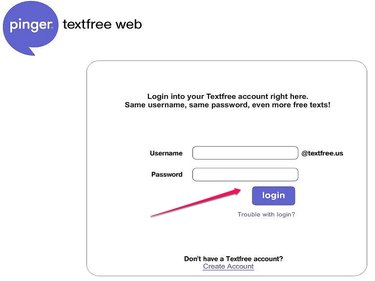
Sign in to Pinger textfree Web in your browser.

Once you sign in, press the plus (+) sign. Type the phone number or email address to which you are sending a text message and press OK.
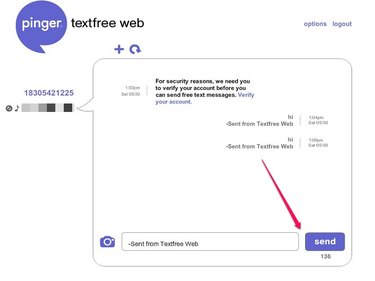
Type your message and press Send.
Using Pinger for the Desktop
You need to sign up for a free Pinger account either with the browser-based Pinger textfree Web or with the standalone Pinger desktop application before you can use the text messaging service.

Pinger Desktop is available for free download for Windows 7 or newer and Mac OS X 10.6, 10.7 or 10.8.
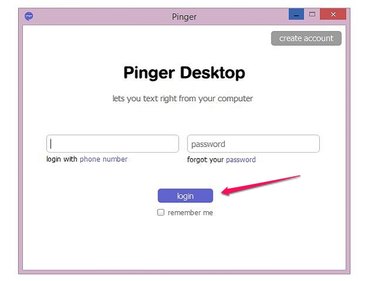
Sign in to the desktop application.
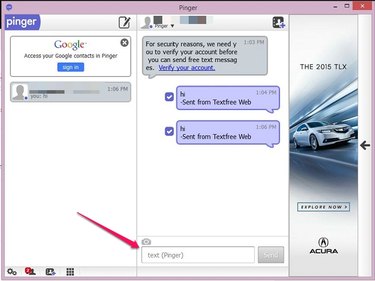
Choose the recipient of the text message, type your message, and press Send.