

How to Use a Black and Decker Drill

Black and Decker manufactures a variety of corded and cordless drills, most of which are geared toward the home handy person. Some models have a detachable drive head so you can convert the tool from a power screwdriver to a drill and back again.

Black and Decker drills feature keyless chucks that allow you switch bits on the fly, and they also have drive clutches with a number of settings for drilling accuracy.
Powering Up Your Drill
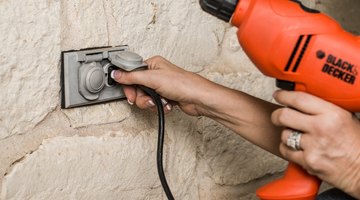
If you have a corded Black and Decker drill, all you have to do is plug it in and you're ready to go. If the tool has a battery, the procedure is almost as simple. The battery needs to charge for three-and-a-half to four hours, depending on its voltage, so the best strategy is to leave the battery in the charger until you're ready to use it; it can stay there indefinitely. The battery slides out of the charger or drill when you press the tab on its front and it's seated when it clicks in place.
Changing Accessories and Bits

If you have a model with an interchangeable drive head, you have the option of using the tool as a drill or a screwdriver. To change heads, push on the tab on the underside of the accessory that's in the drill, pull out the accessory and slide in the replacement. A click tells you it's seated properly. To change bits, put the forward/reverse lever next to the trigger in the center position to lock the head, then turn the chuck counterclockwise to loosen it. Turn it the opposite way to tighten it after inserting the bit you need.
Drive Controls and Torque Adjustment

You can operate Black and Decker drills at variable speeds; regulate the speed via the amount of pressure you apply to the trigger. Push the lever next to the trigger all the way to your left to run the drill in forward mode. Set the lever in the opposite direction to reverse the drill when you need to remove screws. There's a collar just behind the chuck that allows you to adjust torque; light torque is best when driving screws into soft wood while higher torque allows you to drill easily through hardwood and metal. Rotate the collar counterclockwise to choose progressively higher torque settings.
Drilling and Driving Tips

Whenever you are using a Black and Decker drill -- or any drill -- for drilling, it's important to keep the drill aligned with the boring direction. A slant in any direction puts stress on the bit, and the bit can break. If the drill stalls while drilling through wood or steel, don't force it. It's better to stop, reverse the drill to extract the bit and try again. Correct use of the torque adjustment can help you avoid driving screws too deep and splitting wood; start with the lightest torque setting and incrementally increase it until you find the right setting.
The Drip Cap
- Black and Decker manufactures a variety of corded and cordless drills, most of which are geared toward the home handy person.
- The battery needs to charge for three-and-a-half to four hours, depending on its voltage, so the best strategy is to leave the battery in the charger until you're ready to use it; it can stay there indefinitely.
- If you have a model with an interchangeable drive head, you have the option of using the tool as a drill or a screwdriver.
- To change heads, push on the tab on the underside of the accessory that's in the drill, pull out the accessory and slide in the replacement.
- Correct use of the torque adjustment can help you avoid driving screws too deep and splitting wood; start with the lightest torque setting and incrementally increase it until you find the right setting.
References
Resources
Writer Bio
Chris Deziel has a bachelor's degree in physics and a master's degree in humanities. Besides having an abiding interest in popular science, Deziel has been active in the building and home design trades since 1975. As a landscape builder, he helped establish two gardening companies.
Photo Credits
- Joni DeShazier/Demand Media
- Joni DeShazier/Demand Media
- Joni DeShazier/Demand Media
- Joni DeShazier/Demand Media
- Joni DeShazier/Demand Media
- Joni DeShazier/Demand Media
More Articles

