How to Convert a Cable to RCA
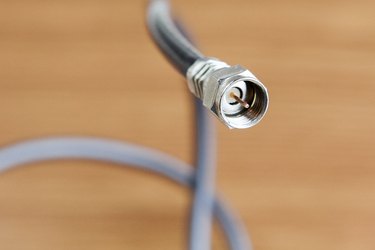
Today's televisions offer a bewildering array of hookups on the back of the set for bringing video and audio signals to the screen. Connections range from standard "RF" cable connectors to S-VHS plugs to RCA connectors. Many TVs have multiple RCA connector sets, allowing you to draw video and audio signals from several sources (cable, DVD, TiVo, etc.). By connecting each of these to a separate bank of RCA connectors, you can switch your input from one to the other using your television remote. You may need to convert the standard screw-on "F" connector cable signal to a format that allows you to directly plug into a set of your television's RCA connectors. There are plenty of RF Modulator converters out there that go from RCA to RF, but there is only one practical way to convert RF television signals to RCA AV signals.
Things You'll Need
- "F" connector style cable from the antenna, cable, VCR, DVD player or other signal source VCR, DVD, TiVo, satellite, cable box or other video playback device 3 RCA connector wires (orange, yellow and white)
Instructions
-
Simple Hookup Process
-
1
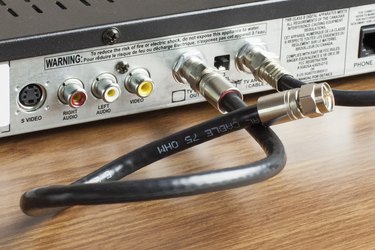
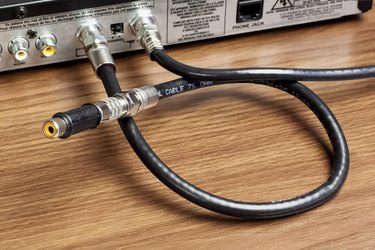
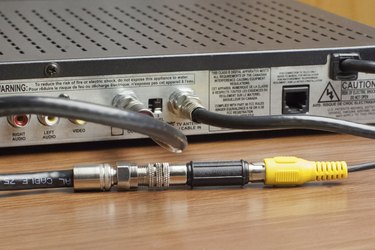
Purchase a VCR, DVD, TiVo, satellite receiver, cable box or other video player that passes a cable signal through to your TV. You can't simply add a conversion plug. You need the electronics in the video device to split the audio and video signals in the RF cable into two separate audio channels and one video channel. Place the device near your television and plug it in.
- 2
-
- 3
-
4
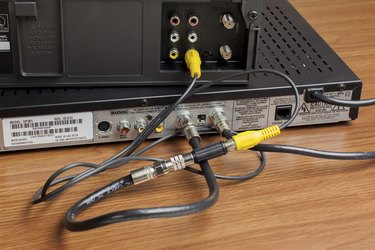
Attach the other end of the RCA connectors to one of the three connector sets labeled "In" or "Input." There may be more than one set of inputs. Be sure you attach all three to the same bank of connectors (Input 1, 2 or 3 in this photo). Match the red, white and yellow wires to the same color connectors on the back of the television to ensure that the signal is distributed properly.
-
5
Turn on the television and use the "Video" or "Input" button to cycle through the inputs until you are on the one where the RCA connectors are attached. If you plugged them into Input 2, cycle through until the screen shows "Input 2." Turn on the video device and you should see a picture. The video device passes the RF cable signal through and splits it before sending it on to the RCA connections. The signal should pass through even if the video device is turned off.
-
1
Tips & Warnings
If you only want to convert an RF signal so that you can plug it into your RCA jacks on the television, you can always use an old VCR. It's kind of bulky, but even those that won't play tapes anymore may still work fine as a pass-through signal splitter that will convert the RF signal from your cable into an RCA audio/video signal so long as it has RCA outputs.
Be aware of which way your signal is traveling. Don't plug an output cable into an output connector. Output on one box goes to input on the other.