

How to Replace the Heating Element in a Kenmore Elite Electric Dryer

If your Kenmore Elite Dryer is running but not heating, it may be time to change the heating element. Changing out the heating element is not a difficult task if you have a few basic tools and a little bit of expertise.

If your Kenmore Elite Dryer is running but not heating, it may be time to change the heating element. Changing out the heating element is not a difficult task if you have a few basic tools and a little bit of expertise.
Things You Will Need
- Volt/ohm tester
- Screwdriver
-
Unplug the dryer. Locate and remove the front service panel on the bottom of the Kenmore dryer, located at the bottom of the dryer. The entire panel will pop off.
-
Remove 1 wire that runs from the heating element and test it by using a volt/ohm meter. You only need to remove 1 wire. This will provide enough ohms for a correct reading. If you are getting a zero reading, then the heating element is bad and should be replaced.
-
Take the heat shield off by pulling off the wires and removing the screws that secure the heating element in place. This will free the element. Remove the heating element.
-
Replace the heating element with a new element. Make sure it is securely in place and then screw the element back into the housing and reinstall the wires.
-
Reassemble the dryer by putting the front service panel back on. Plug the dryer back in, push it back into place and turn it on. Allow it to run for a few minutes to test the new element.
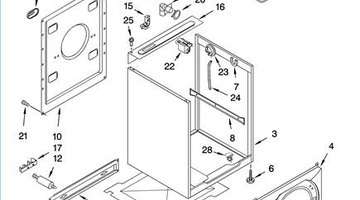

The Drip Cap
- If your Kenmore Elite Dryer is running but not heating, it may be time to change the heating element.
- You only need to remove 1 wire.
- Reassemble the dryer by putting the front service panel back on.
Writer Bio
Based in Atlanta, Melody Dawn has been writing business articles and blogs since 2004. Her work has appeared in the "Gainesville Times," "Player's Press" and "USA Today." She is also skilled in writing product descriptions and marketing materials. Dawn holds a Master of Business from Brenau University.
Photo Credits
- http://s.sears.com/is/image/Sears/02687872000,http://content.searspartsdirect.com/lis_png/PLDM/K0404069-00001.png,http://www.applianceblog.com/archives/KenmoreElement.jpg
- http://s.sears.com/is/image/Sears/02687872000,http://content.searspartsdirect.com/lis_png/PLDM/K0404069-00001.png,http://www.applianceblog.com/archives/KenmoreElement.jpg
More Articles

