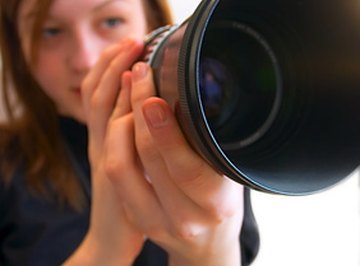
There are few elements more important to a photograph than the glass that focuses light onto the camera’s film or image sensor. The lens controls the way light passes through, and also the amount of light allowed. The best lens for portrait photography has a medium focal length between 50mm to 100mm, and with an f-stop of 3.5 or wider.
Types of Lenses
Wide-angle lenses traditionally range from 10mm to 18mm and capture a wide view of the subject matter, but distort the horizon along the lens’s curve. Telephoto lenses, ranging from 200mm and up, capture a more proportionally realistic image, but compress the space between the subject and background, making the image flat and “two-dimensional.” For portraits as well as movie close-ups, professional photographers tend to use a medium-length lens that falls somewhere between these extremes.
Film Photography vs. Digital SLR
Traditionally, lenses have been designed around a 35mm frame of film, but most digital cameras have a sensor roughly 2/3 that size. As a result, the final image is cropped and appears to have the viewing angle of a 35mm camera, through a lens 1.5 times larger. For example, a 50mm-lens on most digital cameras will capture an image that more closely approximates a 75mm-lens on a film camera. For portrait photography with most digital cameras, then, the adjusted recommended lens focal range is 33mm to 66mm.
Aperture and Shutter Speed
The aperture is an iris that regulates the amount of light allowed to pass through the lens by dilating open and closed in increments called f-stops. An open lens has a smaller number f-stop than a closed one, so that when a lens’s aperture is changed from f/2.8 to f/2, for example, the iris will open to let in twice as much light. To prevent the photograph from being overexposed, the shutter speed can be adjusted so that the film frame or camera sensor will be exposed for only half as long. Generally, a lens produces its sharpest image when it has an abundance of light, so a portrait photographer will typically want to set her lens to as low an f-stop as possible.
Buying Lenses
Lenses are the most valuable part of a professional camera package, and high-speed lenses are even more expensive. Used lenses can be a good option, but they should be examined closely for defects in the glass or gear mechanism, and may need to be maintained or calibrated by a technician. Check with a local camera store first, and online retailers such as B&H Photo can also be a useful resource.
References
About the Author
Wallace Kelly's first job was writing copy for an oilfield company's mail order campaign in 1990. He contributed to the student publication "The Rio Review" while attending Austin Community College, then dropped out to work at a film studio full-time, where he wrote copy for web, television and radio spots, provided screenplay coverage to the executive producer and worked on the productions.
Photo Credits
lens image by Vasiliy Koval from Fotolia.com