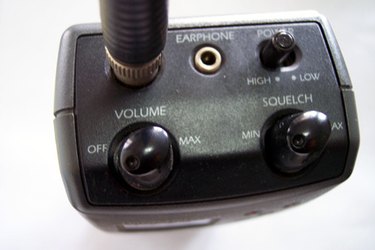
Radio waves are used for countless communications each day, with applications ranging from emergency response to personal broadcasts. Radio scanners, also known as police scanners, are able to receive signals on a wide variety of radio frequencies. Radio broadcasts are sorted into similar bands, or groups of frequencies, which can be programmed into a scanner.
National Weather Frequencies
Video of the Day
The National Weather band includes a variety of frequencies broadcast throughout the United States. This service is operated by the National Weather Service. Scanners tuned to frequencies on these channels can hear automated weather updates 24 hours a day, as well as severe weather updates when they are available.
Video of the Day
Frequency Range: 161.650 megahertz (MHz) to 163.275 MHz
Citizens Band Frequencies
The citizens cand, or CB, was first recognized in by the Federal Communications Commission (FCC) in 1945. This radio band is reserved for private citizen communications and is typically used over short distances. The CB radio band is popular with truck drivers, who use it to stay in touch in the road.
Frequency Range: 26.965 MHz to 27.400 MHz
Television Broadcast Frequencies
Television audio is transmitted on a separate frequency than the video. This allows a listener to tap directly into local television audio when tuned to the correct frequencies and hear the voice portion of a television show.
Frequency Range: 54.0 MHz to 88.0 MHz and 470.0 MHz to 805.75 MHz
Aircraft Frequencies
This range of frequencies is used by private and commercial aviation. Whenever a pilot communicates with an airport tower or air-traffic controller, the transmission occurs on one of these frequencies. Each airport in the United States is assigned a particular frequency.
Frequency Range: 108.00 MHz to 136.00 MHz
Maritime Frequencies
The maritime, or marine, range of frequencies is used by boats and ships operating within U.S. waters. These vessels use radio communications to transmit messages to each other, as well as to contact harbors and the Coast Guard.
Frequency Range: 156.050 MHz to 161.925 MHz
Police Emergency Frequencies
Radio frequencies within the police and emergency range are reserved only for official government communication. Users of this band commonly include county, city and state police agencies, as well as other emergency response services. Typically, each agency has its own dedicated frequency.
Frequency Range: 154.650 MHz to 156.000 MHz
Amateur Radio Frequencies
Amateur radio, also known as ham radio, operates on several different frequencies and is reserved for private individuals who use radio as a hobby. Unlike the citizens band, the amateur radio band can only be used by operators who have been individually licensed by the FCC.
Frequency Range: 144.000 MHz to 148.000 MHz and 50.000 MHz to 54.000 MHz