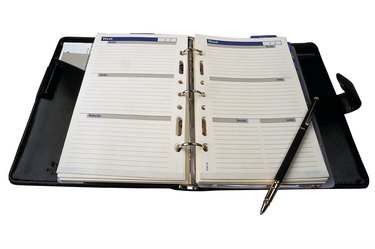
Keeping your life planned and organized could mean the difference between proper scheduling and missing important engagements due to poor planning. Paper planners make it easy for you to see engagements and meetings at a glance, but they can often be pricey to purchase. Microsoft Word offers various templates for planners within the software, making simple to create your own planner, edit your schedule and print out calendars.
Types of Planners
Video of the Day
Microsoft Office 2010 offers a number of planners specific to the type of planning and organization you need. By looking in the program's template section, you'll notice that there are planners for everything from meals to weddings, daily schedules and event schedules. That means you can print out several types of planners depending on exactly what you need. The templates are fully editable, meaning you can change the graphics, tables, fonts and text to suit your personality and your needs.
Video of the Day
Choosing a Template
To choose a template planner to work on, you'll need to start by opening Microsoft Word, typically found under the "Start" menu. Once the program is open, click "New," then scroll down the left hand side of the window to locate "Planners." Click on "Planners" and the window will be filled with different options. You'll get the most options if you're connected to the Internet, since some planners are downloaded from Microsoft's website. Choose the template that works best for your planning needs and choose "Open." The editable template is automatically loaded into Microsoft Word.
Editing the Planner
Once the template is loaded into Microsoft Word, you can use the fields available to make your plans. Whether it's a daily schedule for your family, a meal plan or a personal date book, it's simple to click into the editable fields to add important dates and tasks. You can also drag the borders around text boxes and images to change their sizes, put in your own photos and make the planner more personal.
Printing the Planner
When printing your edited planner, it's important to consider the type of book, file or folder you'll keep the planner in. Of course, if you use your computer often, you can save your planner as a Word file and shared and accessed through your computer without the need for printing. The Microsoft planners are meant to be printed on standard 8 1/2 by 10 inches paper. If you need paper that is larger or smaller, click the Microsoft Word logo, then choose "Print" and toggle your paper size and print settings. Preview the page before printing, and add the printed pages to a binder or book to make your planner.