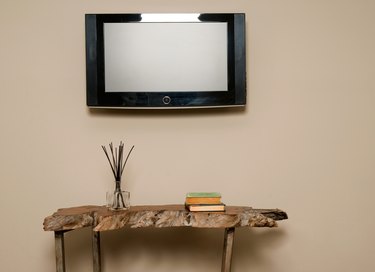
Using toggle bolts is a common way to anchor heavy objects into steel studs. Some prior knowledge of the existing materials -- thickness of the drywall, gauge of metal studs and spacing of metal studs -- will aid in determining the best mounting methods. For best results, heavy objects should be mounted to as many metal studs as possible so that the weight will be evenly distributed. Knowing the weight of the object to be mounted will aid in determining the number and size of the toggle bolts needed to complete the task.
Step 1
Use the stud finder to locate the studs where you will be mounting the object. Mark the wall with a pencil to indicate their location. Metal studs for interior non-load-bearing walls are usually 1 5/8 inches wide, so try to put your marks in the center of the stud.
Video of the Day
Step 2
Measure up the wall with the tape measure to the height where the object will be mounted. Mark that spot with the pencil.
Step 3
Center the mounting bracket on the marks on the wall. With a pencil, mark through the holes in the mounting bracket where the toggle bolts will go. Make sure that the bracket is level and centered on the studs before marking.
Step 4
Drill holes in the wall and through the metal studs where you marked the wall with the mounting bracket. The size of the drill bit should be large enough to allow the toggle bolt to gain access through the hole. Check the toggle bolt manufacturer's recommended bit size.
Step 5
Attach the mounting bracket to the wall using the toggle bolts. Slide the toggle bolt through the hole and pull securely to the metal stud. Screw each bolt so that it's snug, but not tight to the bracket. Once all the bolts are secure, check to make sure the bracket is level before tightening the bolts fully. If level, tighten the toggle bolts completely.
Step 6
Mount the object to the mounting bracket using the manufacturer's recommended installation method.
Video of the Day