Most Hampton Bay ceiling fans come with light fixtures, in addition to the fan. If the bulb in your Hampton Bay ceiling fan has burned out (or you want to change it to an energy-efficient bulb) you'll need to replace the dead light bulb. There are two basic designs of lighting fixtures for Hampton Bay ceiling fans.
Step 1
Turn off the fan and the lighting fixture on the fan. Position your step ladder so that it gives you easy access to the lighting fixture(s) of the ceiling fan.
Video of the Day
Step 2
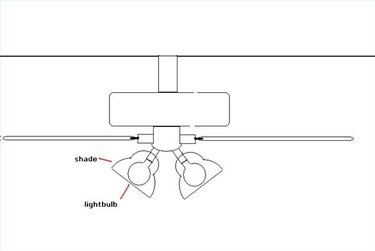
To replace the light bulb in an open shade, stand on your step ladder and unscrew the dead bulb by twisting it to the left. Insert the new bulb by screwing it into the fixture, twisting to the right.
Step 3
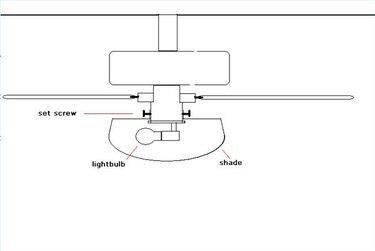
To replace the light bulb with a closed (globe) shade, stand on your step ladder and undo the set screws that hold the globe shade in place. Keep your other hand underneath the shade so it does not fall. There will be three of these on a Hampton Bay ceiling fan, spaced evenly around the perimeter of the globe. Unscrew the bulb and replace it as in Step 2, then replace the shade.
Step 4
Test the new bulb by turning on the light switch.
Video of the Day