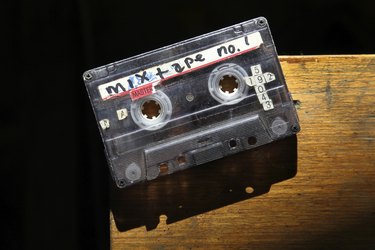
The last car with a factory-installed cassette tape player rolled off the lot in 2010, heralding the decline of the classic mix tape, now so easily replicated with digital music playlists. Your songs, music and memories existing on cassettes can be preserved in digital form. CDs capture the sounds from cassettes with little loss of quality, and there are solutions that address both convenience and affordability.
Without a Computer
Video of the Day
The most elegant solution for the cassette-to-CD transfer would be a device that incorporated both a cassette player and a CD burner. Such a device exists, in the Tascam CC-222MKIV, priced in 2014 around the $400 mark. Simply pop in a cassette and a blank CD, and the unit handles the transfer. If you have a cassette deck, using a standalone CD recorder with audio inputs such as the TEAC CD-RW890 provides similar transfer operation. The devices connect using a standard stereo RCA cable. Standalone CD recorders reduce your costs, with new units in the $200 price range.
Video of the Day
Hybrid Tape Decks
If your 70s-era cassette player is showing its age, updating your deck can add USB connectivity to assist creating CDs from your existing tape library. USB cassette players come in full-size, portable and even integrated devices that include turntables, from companies such as Ion, Nexxtech and Crosley. This class of device connects to a computer using a USB cable to import audio. Included software handles the conversion to digital form, which can then be burned to CD. Prices in 2014 range from $20 for handheld models to $220 for models with turntables.
No Hardware Needed
With a cassette deck and computer with a line level sound card input, you can handle the cassette-to-CD conversion with an audio adapter cable and free recording software. Consumer sound cards use 3.5-millimeter stereo mini-plugs while cassette decks use RCA cables. Adapter cables with these connectors are easy to locate and usually under $20. Acoustica Basic Edition, Audacity and Wavosaur are three common recording programs available for free download. Note that some computers, particularly laptops, have only microphone-level audio inputs. The line-level signal from a tape deck may cause distortion when used with a mic-level jack.
Making the Connections
Connect a cassette deck by using the RCA end of your adapter with the "Tape Out" jacks on the deck. Left and right outputs are color-coded white and red, so matching the adapter ends ensures proper stereo orientation. The 3.5 mm stereo jack connects to the line-level jack, usually colored light blue, on your sound card. Open the recording software and add a stereo track according to the instructions of the software maker. Adjust the level of the cassette audio if necessary and start the recording software, then start your cassette. When your recording is finished, you may need to export the audio to WAV or MP3 format, depending on which software you choose.
- Mental Floss: Car Cassette Decks -- The End of an Era
- Recording History: Cassette Culture
- Tascam: CD Recorder/Cassette Deck CC-222MKIV
- TEAC: CD Recorders: CD-RW890
- Tech Radar: Best Free Audio Editing Software -- 9 Programs We Recommend
- Audacity: Tutorial: Connecting Up
- Ion: Tape 2 PC
- The Source: Nexxtech Digital Cassette Converter With Built-In Speaker
- Crosley: Archiver