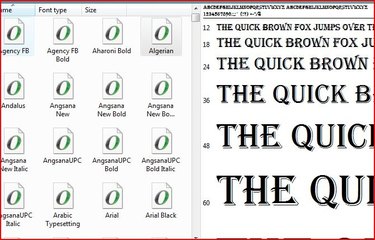
The right fonts make your documents and other publications fun and interesting. Microsoft Office and other products come loaded with a wide variety of fonts, but you can find new fonts to download and use on your computer.
Step 1
Find a font on a website that you would like to have on your computer. Make sure that the font's requirements match up with your computer's.
Video of the Day
Step 2
Follow the site's instructions and download the font, saving it to your desktop. If the font requires, unzip the file using your operating system's file extraction program, or another program such as WinZip. Extract it onto your desktop.
Step 3
Click the "Start" button, point to "Settings" and then click on "Control Panel." For some versions of Windows, you will go to the "Control Panel" directly from the "Start" menu.
Step 4
Double click the "Fonts" folder to open. Click the "Restore Down" button, between the "Minimize" and "Close" buttons on the "Fonts" folder so that the window is smaller and you can see part of the desktop.
Step 5
Holding down your left mouse button, click on the "Fonts" folders window near the top and drag it out of the way so that you can see the font you downloaded.
Step 6
Using the same dragging method, drag the newly installed font and drop it into the folder. Your font is now installed and will appear in your favorite word processing and other programs.
Video of the Day