
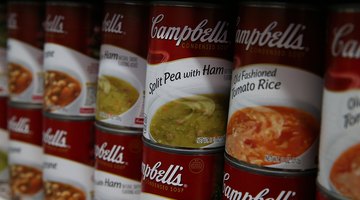

UPC codes from Campbell's Soup labels, donated to educational organizations such as public, private and some home-schooling groups, help schools acquire much-needed equipment such as computers and musical instruments as part of the Labels for Education program. Contact a student who goes to the school for details about the program, or visit the program's website for a searchable database of nearby participating schools that will gladly receive your collected soup labels.
How It Works
Clip the UPC code -- the bar code -- from Campbell's Soup labels. Besides the labels found on cans, UPC codes are also on Campbell's microwaveable soup bowls and boxed bisque. Call the office of your favorite local school or a school that your child or a friend's child attends to find out if the institution participates in the program. If you prefer several options, visit the Labels for Education website and perform a zipcode-based search on the site to determine if your chosen schools participate. If so, gather all the clipped UPC codes and deliver or mail them to the representative handling label collection for the school. In some cases, even home school groups are eligible for the program; mention the program to home-schooling parents you know to encourage them to sign up as well. Some Campbell's Soup UPC codes represent more "points" than others; check the list of participating products on the Labels for Education program to find out the specifics. Codes from other products beyond the Campbell's Soup product line may also be collected and donated to your favorite participating organization; visit the program website for the complete extensive product list.
Related Articles




Writer Bio
Kathy Adams is an award-winning journalist and freelance writer who traveled the world handling numerous duties for music artists. She writes travel and budgeting tips and destination guides for USA Today, Travelocity and ForRent, among others. She enjoys exploring foreign locales and hiking off the beaten path stateside, snapping pics of wildlife and nature instead of selfies.