

How to Remove Mineral Deposits That Build Up in a Mr. Coffee Machine

A slow, sputtering Mr. Coffee coffee maker could be the sign of mineral deposits clogging the machine. The magnesium, calcium and other minerals in hard water can cling to the pipes inside the machine, slowing the flow of water. They can also make glass decanters look cloudy. The manufacturer of Mr. Coffee recommends cleaning the machine with white vinegar every 40 brews to eliminate mineral deposits. There are also several commercial cleaners available to rid coffee makers of mineral deposits.
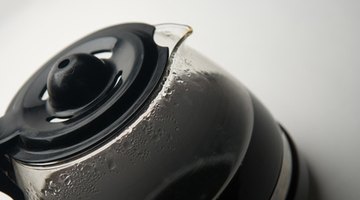
-
Fill the decanter with white vinegar.
-
Pour the decanter full of vinegar into the coffee maker's reservoir.
-
Return the decanter to the correct position under the brew basket.
-
Select the machine's regular brewing cycle and switch it on.
-
Switch the machine off when brewing is complete, but leave the vinegar in the decanter for two hours.
-
Unplug the machine.
-
Rinse the decanter and fill it with cool water.
-
Pour the water from the decanter into the reservoir, swish and pour the water back out into the sink.
-
Refill reservoir with cool water.
-
Place the decanter into position under the brew basket.
-
Plug in the machine and switch to regular brew to allow the water to run through the machine.
-
Repeat steps 9 through 11 at least six times to rinse the vinegar from the machine.
References
Warnings
- Always make sure the warming plate is turned off when the decanter is empty.
Writer Bio
A journalist since 1985, Susan Walworth has written for both weekly and daily newspapers, including "The Eufaula Tribune" and "The Dothan Eagle." She has won numerous state press association awards for photography, news and feature writing. She holds a Bachelor of Arts in journalism from Auburn University.
Photo Credits
- Coffee jug image by Inferna from Fotolia.com
More Articles

