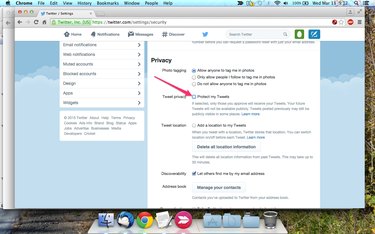
When your Twitter account is set to private, only your followers can see your tweets. To make your account public, change the Protect My Tweets setting in the Security & Privacy section of your Twitter account's settings panel.
Step 1
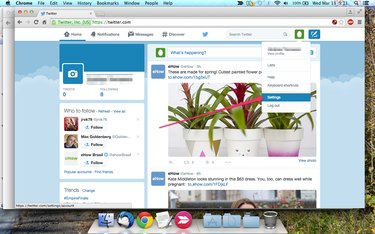
Click the Profile icon in the top corner of any Twitter page and select Settings on the drop-down menu to load your Settings panel.
Video of the Day
Step 2
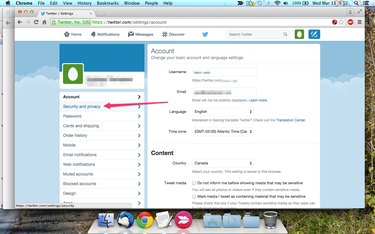
Click the Security and Privacy tab on the left of the screen.
Step 3
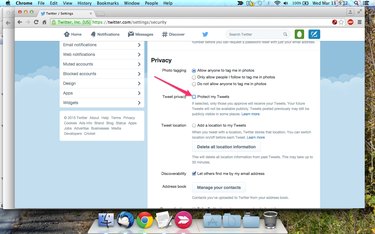
Scroll down to the Privacy section, if necessary, and remove the check mark from the Protect My Tweets check box.
Step 4
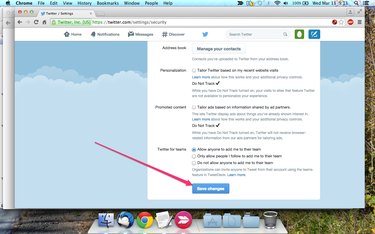
Scroll down to the bottom of the page and click the Save Changes button. You may be prompted to enter your account password before Twitter will save your changes.
Video of the Day