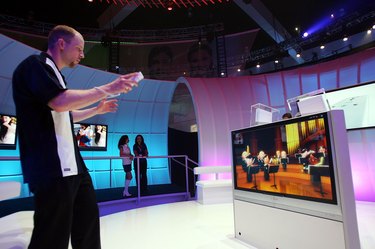
While a Nintendo Wii can't take advantage of a Samsung LED's high-definition resolution, the system works with the TV's analog video inputs. Samsung LED TVs and the Wii support both component and composite video connections. Some Samsung TVs, such as the EH4000, EH5300, ES800 and F6300 series, mix things up and throw in a shared component/composite port, which may be confusing during the setup process. The Nintendo Wii's supported S-Video connection standard is not widely available for use on a Samsung LED TVs.
The System is the Same
Video of the Day
The Nintendo Wii uses a different type of cable to connect to composite or component TV sets, but both connection types feature the same plug-style on the Nintendo Wii side. Nintendo refers to the plug and socket system as the AV Multi Out. The Wii's proprietary connector socket features a notch in the top-left corner when the system is standing in vertical mode. To connect the cable, line up the cable notch with the system socket notch and slide the plug in all the way; the plug will not lock in place.
Video of the Day
The Composite And Component Conundrum
Samsung LEDs throw a spoke in the general notion of "just match the cable colors" on the TV side of the setup. Determine if you're using a composite cable or a component cable by counting how many video plugs the cable features. Composite features a single, yellow video cable, whereas component features three video cables color-coded in red, green and blue. Look behind the Samsung LED to locate the sockets that match your cable's plugs and insert the plugs into the corresponding colored sockets. If the set features more than one component socket set, there will be lines drawn on the back of the set to help identify which work together. Some Samsung LEDs feature a shared composite/component port that's colored half-yellow and half-green. Insert the yellow composite cable or the green component cable into this socket.
Setting Up Audio
Setting up the audio part of the connection is the same for both connection types. Component and composite video feature red and white audio cables, making for three plugs for composite and five plugs for component. Connect the audio plugs to the matching colored audio sockets on the back of the Samsung LED. The text on the back of the set designates which audio sockets pertain to which component/composite audio ports. Component connections feature two red plugs: one for video and one for audio. If you're having problems with a component connection, make sure you didn't invert the two red plugs.
About Your Cable Type
Component video features better picture quality by separating the color and brightness parts of video content and increasing bandwidth. The Wii can display only in 480p or progressive scan -- for better picture quality -- with the component cables; composite cables display in 480i or interlaced mode. According to Nintendo, the Wii mini console revision is compatible only with the included A/V cables and not third-party cables.
- Nintendo Support: How to Connect the Wii to a TV
- Nintendo Support: How to Connect the Wii to a TV Using AV Cables
- Nintendo Support: How to Connect the Wii to a TV Using Component Video Cables
- Nintendo Support: Screen
- Crutchfield: Home A/V Connections Glossary
- Samsung Video TVs: LED EH4003 Series TV - 32" Class (31.5" Diag.)
- Samsung Video TVs: LED EH5300 Series Smart TV - 40" Class (40.0" Diag.)
- Samsung Video TVs: LED ES8000 Series Smart TV - 65" Class (64.5" Diag.)
- Samsung Video TVs: LED F6300 Series Smart TV - 55" Class (54.6" Diag.)
- Samsung Video TVs: Series 4000 Specs