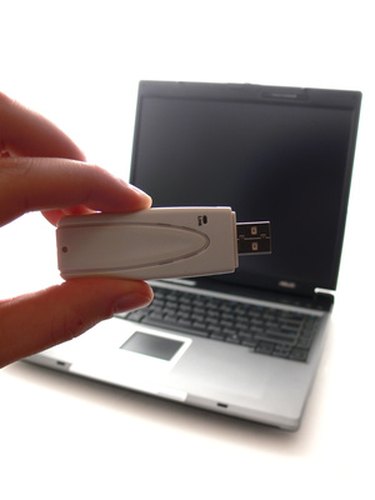
Wireless networking, or Wi-Fi is a technology that allows computers to connect to the Internet without using cables. To receive a Wi-Fi signal, a computer must have a special device to receive and send wireless signals called a wireless adapter. This device uses an antenna that may either be built into the computer or connect to the exterior of the system. Wireless Internet is used in residences, businesses, and government and public institutions. Many businesses provide wireless Internet as a free service to their customers. With a wireless adapter and Wi-Fi antenna, you can connect to the Internet for free at these locations.
Step 1
Find a business that advertises free wireless Internet. Many of these businesses can be found by typing your location and " Wi-Fi hot spot" into a search engine.
Video of the Day
Step 2
Travel to a business or other location that offers free wireless Internet. Ask an employee if there are any special instructions for accessing the wireless Internet. Make a note of any special instructions.
Step 3
Boot up the laptop computer. If the wireless antenna is external, make sure that it is connected to the computer.
Step 4
Hover the mouse over the wireless network icon in the system tray to determine if the computer connected automatically. If there is a connection, a pop-up box should appear saying "Connected, Local and Internet." The network name should reflect the wireless network you wish to connect to.
Step 5
Verify your connection. If there is a wireless connection with a network name that does not correspond to the business you are in, or if there is no connection at all, right click on the wireless network icon. Click on "Connect to network." Find the wireless network for your location and double-click on it.
Step 6
Double-click on Internet Explorer, or the Internet browser you prefer. Ensure that the system is connected to the Internet. If websites do not load ask an employee for assistance.
Video of the Day
- Microsoft Support: How to connect to a wireless network in Windows Vista
- Michigan State University: Connect to Wireless Network Using Windows XP
- Lafayette college: Connecting to the Wireless Network
- University of Washington, Shidler Journal of Law, Commerce and Technology: Will Wi-Fi Make Your Private Network Public?