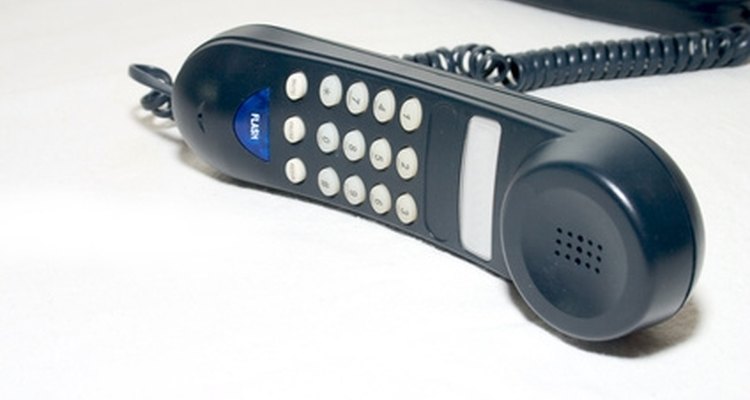
Whether you want your number to be displayed or remain private when you call someone, there are simple ways to achieve either. Some people have a "call blocking" feature that allows them to block any "unknown" or "private number" calls. Unless you display your private number, your call simply cannot go through.
Call your phone service provider and ask to have your number changed to a private listing. This option is permanent: There is a difference between unlisted and unpublished. But either will make your number "private." Have the customer-service representative explain the different features of each and the prices involved. Choose the one that best fits your needs and your budget. Once the service is set up, your number will not show on caller ID displays.
Dial 67 and wait for the dial tone. Dial the phone number as you normally would. Once you hang up, it will "clear," and you will need to re-enter 67 for each call you make when you want your number to be private. This option for hiding your phone number is temporary. (Some phone companies charge for this function and some do not. Call your company's customer-service number and ask about any charges that may apply.)
Call your phone company if you have a private number and you want or need it to display to make a phone call. Ask to have your private listing changed to a public one. This will save you a little bit of money on your phone bill each month and will display your phone number when you make outbound calls. The call-blocking feature that others use to block "unknown" or "private" calls will no longer prevent your call from getting through. This option is permanent.
Use the temporary fix to display your number briefly. When you call a phone number that has the blocking feature attached, a recording should come on with instructions. To avoid that and get through the first time, simply dial *82. Wait for the dial tone, then dial the phone number as you normally would. This works on a call-by-call basis, so after you hang up the phone, it will "clear" and make your phone number private again for your next call.
Related Articles

How to Call a Person That Has Blocked ...

How to Call & Block Your Number With ...
How to Block Numbers on a LG Phone

How to Find the Number of a Voice Mail ...
How to Call a Private Number Back
Nike Triax Watch Instructions
Casio Waveceptor 2735 Instructions
How Do I Set Up My Casio Calculator ...

Vegetarian Sources of Astaxanthin

How to Repair Revo Sunglasses

How to Void a Check

How to Get a Flag Flown Over the US ...

How to Adjust a G-Shock Watch
How Do I Troubleshoot a Timex Ironman ...
Instructions for a Casio W-96H Watch
How to Change My Last Name for Free

About TSA Precheck for the Military

How to Send a Free Birthday Greeting

How to Find the Tracking Number of a ...
Casio Edifice Instructions
Tips
- If you will need to use the feature a lot, ask your service provider about alternatives.
Warnings
- The information in this article is geared toward land-line telephones. Cell-phone numbers are displayed in a variety of ways on caller ID boxes. Talk to your service provider about how your phone displays, how you want it to display and what you need to do to block and unblock your number. You may be able to use the steps above, or you may need to do something different. Some phones have a feature in their settings that allows the user to hide his phone number.
Writer Bio
Award-winning freelance writer Daniella Nicole is also a published contributing author and a contributing editor. Nicole has a Master's Certification in English vocabulary, has successfully passed an AP editing course and proficiently writes about numerous topics. Her writing has appeared in newspapers, a book and across the web for over five years.
Photo Credits
phone receiver image by Dumitrescu Ciprian from Fotolia.com