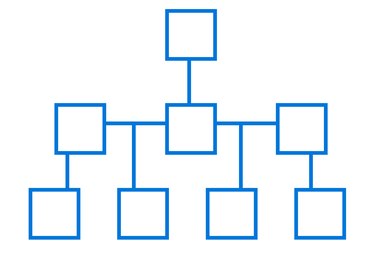
Emergency telephone trees are a useful organizational tool, allowing you to get messages to groups of people quickly and effectively. The tree divides call responsibility between the group when there is an emergency or the need to spread an urgent message. For example, the first person on the tree may have three people to call; each of these people will call another three people. This carries on until the entire group has the message. You can create an emergency telephone tree template using the SmartArt function in Word 2013.
Step 1
Open a new document in Word 2013. Click the "Insert" tab at the top of the page and then click "SmartArt" in the Illustrations group.
Video of the Day
Step 2
Click "Hierarchy" when the Choose a SmartArt Graphic window opens. Look through the options and select a layout style. Click "OK" when you are done. Check that the tree has all the boxes you need, in the right order. If not, you'll need to add, remove or re-organize boxes.
Step 3
Add additional boxes. Click a box to add another next to it. Click the "Design" tab and open the drop-down menu next to "Add Shape" in the Create Graphic group on the menu bar. Select "Add Shape After" or "Add Shape Before" to add a new box at the same level as the one you selected. Use "Add Shape Above" or "Add Shape Below" to insert a box a level up or down. If you make a mistake and want to reposition a box, click on "Promote," "Demote," "Move Up" or "Move Down." If you want to delete a box at any time, click its border and press the "Delete" key.
Step 4
Click "File," then "Save As" to save the document as a template. Choose a location to save the file on your computer, enter a name, then click the arrow on the "Save as type" line. Select "Word Template" and then "Save."
Step 5
Open the template when you are ready to create a new telephone tree. Follow the "Save As" process to save it as a new Word document to avoid overwriting the template. Click on a box to enter contact details. Repeat this process until your tree is complete.
Video of the Day