


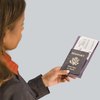


If you have a digital camera and a decent printer, then you'll never have to leave home for passport photos again. Using a quick and super simple web application, printing passport photos is a cinch and free.
First, take a digital photo of yourself. Stand in front of a white background and pose with a natural expression, closed mouth (no smiling) and open eyes. Be sure and capture your head completely in front of the white background.
Log on to epassportphoto.com and select the passport country of origin.
Compare photo with "composition checklist" to be sure photo is usable. Then, browse for the photo and upload.
From that point, you can crop, download and print your valid passport photos right to your home printer. It's that easy and saves you a trip to the photo shop where you'd pay to have the same thing done.
Tip
Epassportphoto also offers a print and ship option for those without an adequate printer. There is a minimal cost to this service.
Tip
-
Be sure to take a photo in front of a completely white background, free of designs and shadows.
Photo Credits
- us passport image by Albert Lozano from Fotolia.com