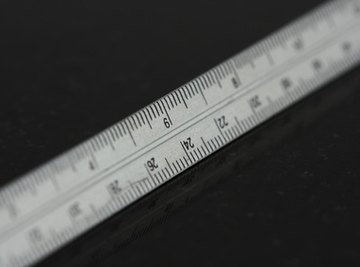
The metric system is a system of measurement used through much of the world and in scientific and technical applications. The "meter" is the base unit for length measurement in the metric system. One tenth of a meter is a decimeter, one hundredth of a meter is a centimeter and one thousandth of a meter is a millimeter.
Locate the side of the ruler that has centimeters and millimeters. This is the metric side. Find the "0" marking on the ruler. Many rulers do not begin the measurement markings at the end of the ruler. "0" is often slightly inward from the edge of the ruler. Using the edge of a ruler as the first measuring point can cause miscalculations.
Place the ruler along side the length to be measured. Ensure one end of the length aligns with a reference marking on the ruler.
Identify the markings on the ruler at both ends of the length being measured. If the zero marking is used, then the length is simply the higher value of the two ends. For example, an object aligned with the "0" centimeter mark at an end and the "11" centimeter mark at the other end would measure 11 centimeters (11 cm – 0 cm = 11 cm).
Subtract the ending measurement from the starting measurement if using a starting point other than the zero marking. For example, an object aligned with the "1" centimeter mark at one end and the 11 centimeter mark at the other end would measure 10 centimeters (11 cm – 1 cm = 10 cm).
If a measurement is grater than a whole number, include millimeters in the final measurement. For example, 10.3 cm means 10 centimeters and three millimeters.
References
About the Author
David Chandler has been a freelance writer since 2006 whose work has appeared in various print and online publications. A former reconnaissance Marine, he is an active hiker, diver, kayaker, sailor and angler. He has traveled extensively and holds a bachelor's degree from the University of South Florida where he was educated in international studies and microbiology.
Photo Credits
engineer's ruler on black marble image by phizics from Fotolia.com