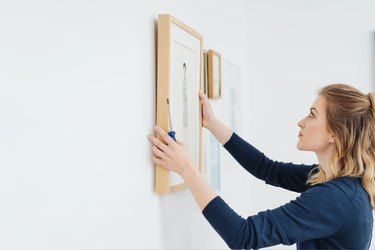
Adding pictures in a bathroom can upgrade your space's look and feel, but before you start shopping, it's important to note that you shouldn't hang original artwork and expensive pieces or you run the risk of them getting damaged. Before you get excited and hang up new artwork, it's vital to know how to protect a picture from moisture in your bathroom.
Choosing the Right Artwork
Video of the Day
Pictures in a bathroom can look stylish, but you must take your bathroom's humidity into account. When you hang a picture in the bathroom, moisture can seep through the frame package. If moisture does get in the frame package, then mold will form and ruin whatever you have framed. When hanging artwork in your bathroom, refrain from hanging anything priceless and most importantly, try not to hang paper-based pictures or wood-framed pictures.
Video of the Day
Paper-based artwork is super popular, but try not to hang in your bathroom limited-edition prints, vintage movie posters or original artwork that can't be replaced. If you do like paper-based artwork, go for a copy that can be easily replaced instead. Although you should try to stay away from hanging original or special canvases in your bathroom, it is relatively safe to hang canvas prints because they have a special coating that wards off moisture.
Moisture-Durable Material
If you insist on hanging artwork in your bathroom, use a metal frame with aluminum instead of a wood frame because metal frames with aluminum can endure the constant temperature changes in your bathroom. Although wood frames are appealing, if you hang a wood frame in your bathroom, the frame will expand and contract due to the constant temperature changes. When a wood frame expands and contracts, the frame will sustain damage. Another bonus is that metal frames with aluminum won't rust.
When purchasing artwork, try to get artwork that doesn't require glazing. If your artwork is glazed, moisture will be able to build up easily. If the artwork has to be glazed, use acrylic glazing and not glass. Acrylic lets some moisture pass through so that moisture won't build up in the frame.
Although glass may look pretty, another bonus of using acrylic glazing is that acrylic won't shatter if the frame falls. Accidents are bound to happen, and picking up shattered glass in a bathroom is less than ideal.
Vent Your Bathroom
Another important thing you should be doing even if you don't have artwork is venting your bathroom. Venting your bathroom can reduce moisture. If you have a bathroom exhaust fan, turn it on before showering, keep it on while you shower and run it for a little bit after you finish showering.
If you don't have an exhaust fan, use a dehumidifier in your bathroom instead. When you're not in your bathroom, leave the door slightly open, and if you have a window, leave that open as well. The more you keep moisture out of your bathroom, the more likely your artwork won't get damaged.
If you're ever worried about damaging your pieces, consult a professional. Not only will he be able to frame your artwork correctly but he can save you the headache of constantly repurchasing new artwork for your bathroom.