A photo album folder is a great way to organize your pictures.
If you have a digital camera, you probably store lots of pictures on your computer. Did you know that you could store these pictures in photo albums? These simple steps will show you how.
Step 1
Click "Start" and then click "My Pictures."
Video of the Day
Step 2
In the task pane, under "File and Folder Tasks," click "Make a New Folder."
Step 3
Type a name for your new folder and then press "Enter."
Step 4
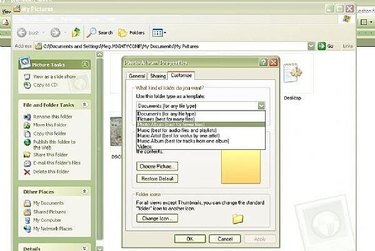
Right click your new folder and click "Properties."
Step 5
Click the "Customize" tab. In the drop down menu under "Use This Folder Type as a Template" select "Photo Album."
Step 6
Click "Apply" and "OK."
Video of the Day