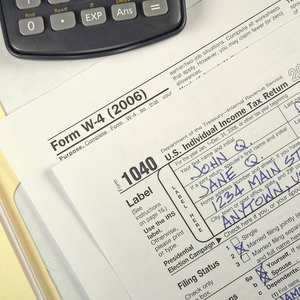


Tax filing is an annual requirement for United States citizens. Trying to figure out how you should file (married filing jointly or separately and other options) or what forms to use (1040, 1040A, 1040EZ or others) can make filing your income taxes challenging. You can do a mock tax filing without actually filing using various forms and information. This dry run can help you find the best method to use for filing your taxes and also give you an idea how much you owe so you can plan how to pay.
Use the available online options for quick tax calculating to determine your taxes as well as the appropriate category (or package), depending on your filing status, such as individual, business or corporation. Find more information about each category using the “Learn more” links. You will not be charged to do a mock tax return.
Follow the directions provided to fill out the federal income tax forms. You will be asked various questions about your income, expenses, deductions and other tax-related details to determine your taxes.
Use your tax-related documents to respond to the questions. Make changes to the answers given through using the “Back” buttons.
Complete the federal tax returns all the way through to the point of actually filing. If all the information supplied is correct, the results shown are what your taxes would be when filed.
Tips
You do not have to file your taxes when you use the online tax calculating sites, and you will not be charged any money to create a mock tax return. You may have to register to use the tax calculator (a TurboTax requirement), but you will be able to decide whether or not you want to file the tax return after you fill it out. If you decide to file your tax return, you may be charged to do so. The fees charged depend on your specific filing requirements. Read all the details provided for more information regarding filing your taxes.
Find other sources for filing your taxes online using the “e-file” link found after clicking “Online Services” on the main IRS page. Choose the appropriate link to use from the options such as individuals, self-employed, charities and others.
You can also either print a specific tax form using your printer and then fill it out by hand to figure your taxes, or fill out the tax form using your computer (and then print it) if you select the link for the tax form. Find the various tax forms on the main page of the IRS under “Forms and Publications” located in the upper left. Follow the directions provided on the form to fill it out.
References
Tips
- You do not have to file your taxes when you use the online tax calculating sites, and you will not be charged any money to create a mock tax return. You may have to register to use the tax calculator (a TurboTax requirement), but you will be able to decide whether or not you want to file the tax return after you fill it out. If you decide to file your tax return, you may be charged to do so. The fees charged depend on your specific filing requirements. Read all the details provided for more information regarding filing your taxes.
- Find other sources for filing your taxes online using the “e-file” link found after clicking “Online Services” on the main IRS page. Choose the appropriate link to use from the options such as individuals, self-employed, charities and others.
- You can also either print a specific tax form using your printer and then fill it out by hand to figure your taxes, or fill out the tax form using your computer (and then print it) if you select the link for the tax form. Find the various tax forms on the main page of the IRS under “Forms and Publications” located in the upper left. Follow the directions provided on the form to fill it out.
Writer Bio
Diane Dilov-Schultheis has been writing professionally since 2000. She is a food and travel writer who also specializes in gaming, satellites, RV repair, gardening, finances and electronics. She is a member of the Society of Professional Journalists and has been published online at the Travel Channel and Intel.