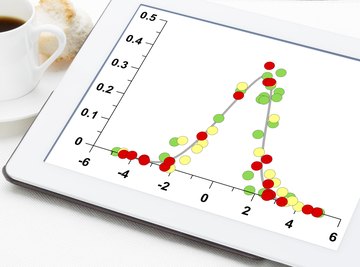

Standard deviation is a measure of how spread out numbers are from the average of a data set. It is not the same as average or mean deviation or absolute deviation, where the absolute value of each distance from the mean is used, so be careful to apply the correct steps when calculating deviation. Standard deviation is sometimes called standard error where an estimate deviation is made for a large population. Of these measures, standard deviation is the measure most frequently used in statistical analysis.
Find the Mean
The first step when calculating standard deviation is to find the mean of the data set. Mean is average, or the sum of the numbers divided by the number of items in the set. For example, the five students in an honors math course earned grades of 100, 97, 89, 88, and 75 on a math test. To find the mean of their grades, add all the test grades and divide by 5. (100 + 97 + 89 + 88 + 75) / 5 = 89.8 The average test grade for the course was 89.8.
Find the Variance
Before you can find standard deviation you'll need to calculate the variance. Variance is a way to identify how far individual numbers differ from the mean, or average. Subtract the mean from each term in the set.
For the set of test scores, the variance would be found as shown:
100 - 89.8 = 10.2 97 - 89.8 = 7.2 89 - 89.8 = -0.8 88 - 89.8 = -1.8 75 - 89.8 = -14.8
Each value is squared, then the sum is taken and their total is divided by the number of items in the set.
[104.04 + 51.84 + 0.64 + 3.24 + 219.04] / 5 378.8 / 5 75.76 The variance of the set is 75.76.
Find the Square Root of the Variance
The final step in calculating standard deviation is taking the square root of the variance. This is best done with a calculator since you'll want your answer to be precise and decimals may be involved. For the set of test scores, the standard deviation is the square root of 75.76, or 8.7.
Remember that standard deviation needs to be interpreted within the context of the data set. If you have 100 items in a data set and the standard deviation is 20, there is a relatively large spread of values away from the mean. If you have 1,000 items in a data set then a standard deviation of 20 is much less significant. It's a number that must be considered in context, so use critical judgment when interpreting its' meaning.
Consider the Sample
One final consideration for calculating standard deviation is whether you are working with a sample or a whole population. While this will not impact the way that you calculate the mean or the standard deviation itself, it does impact the variance. If you are given all of the numbers in a data set, the variance will be calculated as shown, where the differences are squared, totaled, and then divided by the number of sets. However, if you only have a sample and not the entire population of the set, the total of those squared differences is divided by the number of items minus 1. So, if you have a sample of 20 items out of a population of 1000, you'll divide the total by 19, not by 20, when finding variance.
References
About the Author
With hands-on experience in the traditional classroom, the online setting, and the world of curriculum development, Jessica Smith is a veteran educator who is passionate about learning. Smith earned a M.Ed. in curriculum and instruction from Concordia University and is certified in mathematics and exceptional student education.
Photo Credits
marekuliasz/iStock/Getty Images