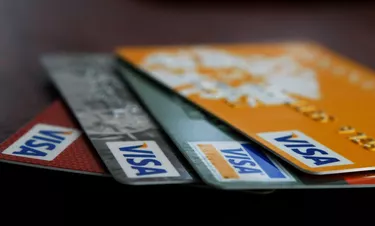
You shopped for it, you applied for it and you were approved for it. And after waiting a few days for it, your Scotiabank Visa credit or debit card has arrived in the mail. As eager as you may be to use it, you must first activate your Scotia credit or debit card by phone or online. It's as good a time as any to learn about or revisit the importance of protecting the CVC number on the back – so the Canada-based bank can protect you.
Learn About Scotiabank Debit Card Activation
Video of the Day
Many people prefer activating credit and debit cards by phone, perhaps because their phone is usually nearby, if not in their hand. In this case, they may be pleasantly surprised that the process includes only a few short steps. You'll notice a sticker affixed to the front of your card. But don't remove it yet. Dial the number and be prepared to be asked for and to provide:
Video of the Day
- The 16-digit number imprinted on the front of the card.
- The four-digit expiration date (two numbers for the month and two numbers representing the last two numbers of the year).
- The three-digit card verification code (CVC) on the back of the card.
- A four-digit PIN (personal identification number) of your choosing.
- A "unique" password (or one using numbers, letters or a combination of the two elements).
Once complete, your card will be activated and ready for use. And yes: now you should remove the sticker and throw it away.
If going on online is more convenient for you, you may go to Scotiabank's activation page, where you'll see a box to enter your card's 16-digit number. Hit "continue" and then follow the prompts. They will be similar, if not identical, to the telephone prompts.
Activate Scotia Credit Cards With Help
It's unlikely that you'll encounter a problem during this process, but if you do, it should be reassuring to know that you can contact a Scotiabank customer service representative at 1-800-472-6842, 24 hours a day, seven days a week.
The convenience factor may be one reason you applied for a card from Scotiabank in the first place. As of August 2021, the bank offered 12 different Visa credit cards – some with annual fees and some with no annual fees. Many of the cards offer cash back on purchases or reward points. And all of the cards are accepted in more than 200 countries and territories.
The Scotiabank Visa debit card may have caught your attention because it offers what the bank calls "Visa zero liability." This means that if your card (or card number) falls into the wrong hands, you will be protected against any unauthorized transactions.
Keep Your Card Safe
The three-digit card verification code – sometimes called a card verification value (CVV) or simply a security code – is one crucial way that your card is protected against fraud, Finder says. It explains why you will often be asked to provide it if you use it to pay for goods or services online or on the phone. The assumption is that no one but you will know the number because no one but you will be in possession of the card.
There are other simple steps you should take to protect your card from fraudsters, Scotiabank says:
- Never lend your card to anyone.
- When making a purchase in public, keep your card in your line of vision at all times.
- Do not set your card on a counter, even for a moment. Card thieves are skilled at moving fast.
- Use your hand to shield the keypad before you enter your PIN.
- Check your Scotiabank statements regularly to ensure your transactions have been recorded properly.
- Contact Scotiabank at the 1-800 number immediately if your card becomes lost or stolen.
Scotiabank will shut down the card so that no one (including you) can use it. The bank will send you a replacement card with a new number. You'll have to activate it and, thanks to your experience, you'll know exactly how to do it.