

How to Transfer Propane to Another Tank

Propane is a common heating fuel for outdoor cooking. It’s normally a gas but can be stored in a portable tank as a liquid under at least 12 standard atmospheres (atm) of pressure. The portable tank will need to be refilled with propane periodically from a supply tank.
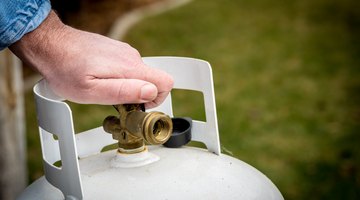
You can transfer the propane from one tank to another while keeping it in a liquid state.
Things You Will Need
- Propane
- Portable propane tank
- Supply propane tank
-
Examine the hoses from both propane tanks. Each tank has a hose with one end connected to the tank and one free end. The hose on the portable tank is connected to that tank’s fill valve. The free ends of both hoses have couplings that will allow you to join them.
-
Ensure that the couplings on both hoses have rubber gaskets so that they can form a tight seal when they’re joined. This is essential to keep the propane from leaking while it’s being transferred.
-
Connect the hose from the supply propane tank to the hose from the empty portable tank. Screw the two ends together securely to form an airtight connection.
-
Open the valve on the supply tank. This will create enough pressure to force open the valves in the coupling and the empty tank. The liquid propane can now flow into the empty tank.
-
Monitor the fuel level of the portable tank. Close the valve on the supply tank just before the portable tank is full. Drain any propane that remains in the hoses into the portable tank and disconnect the hoses by unscrewing the couplings.
References
Writer Bio
Allan Robinson has written numerous articles for various health and fitness sites. Robinson also has 15 years of experience as a software engineer and has extensive accreditation in software engineering. He holds a bachelor's degree with majors in biology and mathematics.
More Articles

