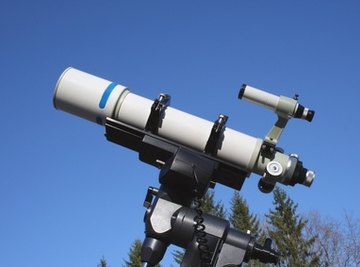
Telescopes let you study the night sky in incredible detail. You can use a telescope to observe the moon, planets and distant galaxies and nebulae light-years away from Earth. Meade refractor telescopes employ a two-lens optical design to capture the faint light reflected by these objects. When used with a set of magnifying eyepieces and a sturdy tripod and mount, a Meade refractor telescope will provide high-resolution views of objects normally invisible to the naked eye.
- Tripod and mount
- Low-power eyepiece
- Medium-power eyepiece
- High-power eyepiece
Calculate magnification by dividing the focal length of the telescope by the focal length of the eyepiece. For example, a 900mm refractor, when used with a 10mm eyepiece, provides a magnification of 90x. Consult the owner’s manual for your Meade telescope to determine its focal length.
Never use a telescope to observe the sun. Looking at the sun through a telescope will permanently damage your vision.
Locate a dark site away from streetlights, porch lights and other sources of light pollution. Artificial light reduces the contrast of the night sky and makes distant objects such as galaxies and nebulae harder to see.
Extend the legs on the tripod to a comfortable viewing height. Tighten the locking screws on each leg to ensure the tripod remains stable throughout your observing session. Stand the tripod upright and check that the legs are level and equal in height.
Attach the telescope to the tripod by sliding its mounting bracket into the tripod’s mount. Tighten the locking screws on the mount to secure the telescope.
Pick your first astronomical target. If you have never used a telescope before, begin with the moon. It’s bright, easy to find and displays a wealth of detail through a telescope. Locating more distant objects such as galaxies and nebulae requires the use of detailed sky charts.
Aim the telescope at the target. Look at the target through the telescope’s finder. Center the object in the field of view by moving the telescope up or down, and left or right.
Insert a low-power eyepiece into the focuser to observe the object at low magnification. Low-power eyepieces typically have a focal length between 20 and 40mm. Eyepiece manufacturers print the focal length on the barrel, so examine the eyepiece to identify its focal length.
Insert a medium- to high-power eyepiece to observe the object at higher magnification. Medium-power eyepieces have a focal length between 10 and 20mm, while high-power eyepieces measure less than 10mm.
Things You'll Need
Tips
Warnings
References
Tips
- Calculate magnification by dividing the focal length of the telescope by the focal length of the eyepiece. For example, a 900mm refractor, when used with a 10mm eyepiece, provides a magnification of 90x. Consult the owner's manual for your Meade telescope to determine its focal length.
Warnings
- Never use a telescope to observe the sun. Looking at the sun through a telescope will permanently damage your vision.
About the Author
Joel Douglas has been writing professionally since 2004. In addition to running a music website for several years he also has copy-edited books on social philosophy and produced training materials for a public library. Douglas has a Master of Arts in English.
Photo Credits
refractor telescope image by Jim Mills from Fotolia.com