

How to Install a Coby Home Theater Surround System

Coby home theater surround sound systems consist of a speaker package and an audio-video receiver with built-in disc player for DVDs and CDs. Each speaker is pre-wired with a color-coded cable to match a terminal on the back of the Coby receiver. Speakers are also labeled on the back for proper placement around the room. The supplied composite video cable connects to a TV, which is the only extra component you will need to set up the Coby system.
-
Place the front left and right speakers on each side of the TV with the center speaker below or above the television. Set the subwoofer on the floor close enough that the attached wire can reach the Coby receiver. Place the two rear speakers behind the seating area on the left and right.
-
Connect the white wire on the front left speaker to the corresponding terminal on the back of the Coby receiver. Press the terminal lever and insert the wire into the hole underneath. Connect the other speakers in the same manner. The right front speaker has a gray wire and the center speaker is equipped with a red wire. The left and right rear speakers have yellow and blue wires, respectively. The subwoofer wire is green.
-
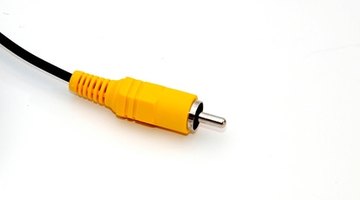
Plug in the yellow video cable to the round video-out jack on the back of the Coby and connect the other end to the video-in jack on your TV.
-
Plug in the power cords for the Coby receiver and TV.
Writer Bio
James Clark began his career in 1985. He has written about electronics, appliance repair and outdoor topics for a variety of publications and websites. He has more than four years of experience in appliance and electrical repairs. Clark holds a bachelor's degree in political science.
Photo Credits
- video cable image by Richard Seeney from Fotolia.com
More Articles

