How to Recover Yahoo Chats

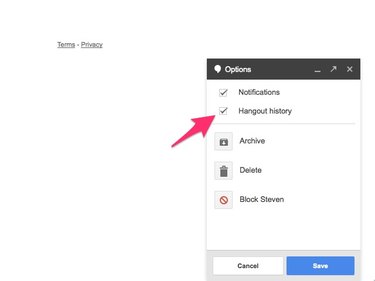
It is frustrating when you lose your Internet connection while chatting or for any other reason are unable to recall previous chat messages. Yahoo offers tools to prevent and recover lost messages so that you can retrieve messages anytime you need to.

Things You'll Need

  • Computer with Internet access
Show More

Instructions

  1. Customize Yahoo Chat Settings

    • 1

      Begin by visiting Yahoo's home page (see Resources below). You are ready to enable chat archives on Yahoo Messenger. This action saves all conversations exchanged on Yahoo Messenger in archives that can later be reviewed.

    • 2

      Open Yahoo Messenger and click on 'Messenger' near the top of the window. A list of options appears. From these, select 'Preferences.'

    • 3

      Select 'Archive' from the preferences window.

    • 4

      Select the 'Save all of my messages' option. Past messages can already be viewed from this step of the process, but don't exit the preferences window just yet.

    • 5

      Click on 'Save my call history' in the same preferences menu if you'd like to archive voice messages through Yahoo Messenger as well. Click 'OK' to complete the process.

    View and Save Archived Yahoo Chats

    • 6

      Click on the 'Contacts' link in the Yahoo Messenger window and choose 'Message Archive' from the resulting options.

    • 7

      Click on the 'Messages' folder to recall archived chats exchanged through Yahoo Messenger.

    • 8

      Recover specific chats and save them to your computer by selecting the desired exchange and selecting 'Message' in the Message Archive window. Click on 'Save As.' You can create a folder on your computer to save specific chats and save the messages you recover there.

    • 9

      Read the FAQ and other information on the Yahoo Messenger Help page for additional support (see Resources below).

Tips & Warnings

  • Consider organizing folders on your computer with the names of specific Yahoo users you want to save chats with, or under categories such as 'Conferences' for easy retrieval of old chats.

  • Never give out personal information to strangers you meet online. Identifying information such as your last name or phone number can leave you vulnerable to dangerous Internet predators.

Related Searches:

Comments

You May Also Like

Related Ads

Featured