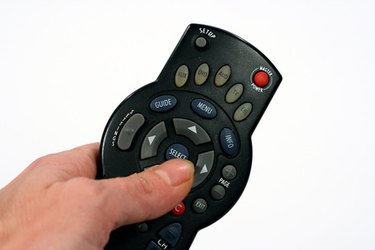
Universal remote controls have become quite common over the last decade. They are user-friendly and easy to program and operate. You can successfully program your Sanyo universal remote control whether you have your physical instruction manual or not.
Step 1
Locate the activation code for your Sanyo universal remote. If you do not have access to your activation code, ReplacementRemotes.com can help. Click "Universal Remote Codes" located in the top navigation menu of the page. When the page loads, you will see a list of links to different remote brands and model names and numbers. Locate your model name and number under the Sanyo brand list.
Video of the Day
Step 2
Click on your model number to retrieve your activation code. If you do not see your model name and number when the next page loads, try entering it manually in the search box on the left side of the browser. Click on the drop box located directly under the search bar to specify your brand. Click "Sanyo" once and press "Enter." Write the code down and save it for reference.
Step 3
Press and hold the "Setup" button, which is located in the top left corner of the remote. The light at the top of the remote should start flashing. Now, hold down the "TV" button located on the top right corner of the remote and enter the code simultaneously. This indicates that you are trying to program the Sanyo remote specifically to the television.
Step 4
Check the power and channel functionality of the remote when you have finished entering the code. If all of the remote's functions work, the setup has been successfully completed.
Step 5
Continue programming all other audio and video components using the above steps.
Video of the Day