Things You'll Need:
- Recording software
- Keyboard
- Recording interface
- Guitar
- Microphone
- Headphones
-
Step 1
Get a DAW (Digital Audio Workstation). For Mac, the most popular software programs are Logic and Garageband. PC users can go with Cubase. Pro Tools, Digital Performer, Reason, or others. Make sure your computer has the right processing power. One gig of RAM is recommended for most DAWs.
-
Step 2
Get a recording interface, also called a Sound Card. It should include inputs for guitar, microphone, and headphones. A firewire interface is recommended: it plugs directly into your firewire port with no need for an AC adaptor.
-
Step 3
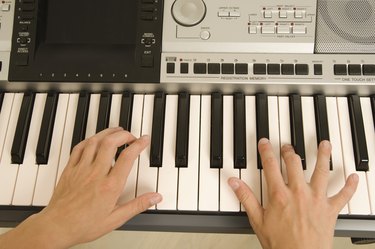
Get a keyboard. A Midi controller keyboard plugs right into your computer’s USB port. It cannot make sounds on its own, but triggers software sounds on the computer. If your keyboard isn’t USB compatible, you can purchase a separate Midi/USB interface. Your keyboard needs to have a Midi out port to trigger software instruments.
-
Step 4
If you want to sing or record an acoustic guitar, a condenser mic is recommended. Good quality headphones are also a must.
-
Step 5
Install the driver software for the recording interface and keyboard (if necessary). Configure the interface to communicate with the recording software.
-
Step 6
Play around with different software instruments and loops. Loops are pre-recorded tracks—drums, synthesizers, strings, etc.—that can be integrated into a song. Loops are the main way beginning musicians can sound closer to pro.
-
Step 7
Set the input level for the instrument, left/right balance, hit record and go for it. Don’t expect a masterpiece right away. It can take some time to become familiar with a software program. Read the manual thoroughly.


Comments
byron74 said
on 9/7/2008 Thanks for the breakdown!