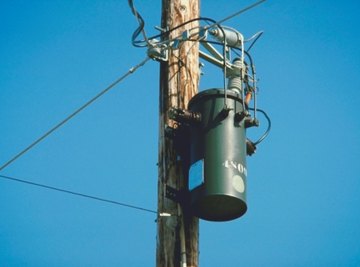

A transformer is an electrical device used to convert power from the source, usually a utility company, to the power required by the load. The load can be a house, building or any other electrical system or appliance. The transformer consists of a primary and secondary winding where, when input power is supplied to the primary winding, the transformer converts it and sends the power on to the load via the outputs leads of the secondary winding. Transformers are rated or sized in terms of KVA, the power level in kilovolt-amperes.
Find the input voltage required by the electrical load connected to transformer secondary winding. Call this value "Vload." Refer to the electrical schematic of the load. As an example, assume Vload is 120 volts.
Find the current flow required by the electrical load. Call this value "Iload." Refer to the electrical schematic of the load. If the value of Iload is not available, find the input resistance, or "Rload," and calculate Iload by dividing Vload by Rload. As an example, assume Iload is 30 amperes.
Determine power requirements of the load in kilowatts, or "KW." Call it KWload. Use the formula: KWload = (Vload x Iload)/1000. Continuing with the example numbers:
KW = (120 x 30)/1000 = 3600/1000 = 3.6 KW
Find the power in kilovolts-amperes, or KVA, required to deliver the KW in Step 3 to the load using the formula: KVA = KW/0.8 (0.8 is the typical power factor associated with a load). Continuing with the example’s numbers:
KVA = 3.6/0.8 = 4.5 KVA.
Locate and install a transformer rated at the KVA level found in Step 4 or slightly higher. For example, transformers are purchased in standard KVA sizes such as 5 KVA, 10 KVA, 15 KVA and so on. In the example in which KVA is 4.5, a 5 KVA transformer will apply.
About the Author
Dwight Chestnut has been a freelance business researcher and article writer for over 18 years. He has published several business articles online and written several business ebooks. Chestnut holds a bachelor's degree in electrical engineering from the University of Mississippi (1980) and a Master of Business Administration from University of Phoenix (2004).
Photo Credits
Jupiterimages/Photos.com/Getty Images