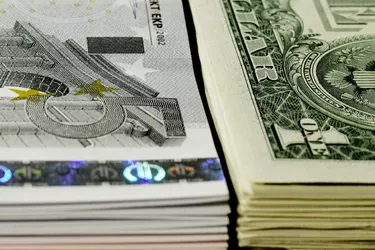
Whether you want to convert U.S. dollars to Euros using a math calculation or by exchanging them physically, the process shouldn't be too hard. If you want to convert dollar amounts to Euro equivalents, you can use a free online converter and have your answer in less than 60 seconds. You can also lookup the day's exchange rate and do the conversion yourself manually.
If you want to convert your paper dollars to paper Euros, you can do that at the airport, your bank or a local currency dealer. If you have other foreign money, make sure to look up world currency names, as many long-time currencies converted to the Euro and those names are no longer used.
Video of the Day
Video of the Day
Read More: How Does Foreign Currency Exchange Work?
Use an Online Converter
The quickest way to find the value of $X in Euros is to use an online tool. You can type, "$100 U.S. dollars in Euros," for example, or a similar phrase, and you'll have your answer in seconds. You can do the reverse when you have Euros and want to figure out their U.S. dollar equivalent.
If you're going to be making these kinds of conversions on a regular basis, bookmark the calculator you see so you can navigate directly to it in the future without having to type in a phrase each time.
Read More: How to Find the Value of Foreign Currency
Do Your Own Math
You can do your own math by simply going to an online search engine and typing "U.S. dollars to Euro." On October 18, 2021, your first result would have been 0.86 Euros. Underneath there's a box that lets you change your conversion number.
Read More: The Best Banks for Exchanging Currency
Visit a Bank or Exchange
If you want to know the value of your U.S. dollars or Euros while you're at the airport, go to the international terminal and look for a currency exchange booth. They will have the latest rates for the world's main currencies (and many others) there.
If you want to convert your paper dollars to paper Euros, these exchanges can do that for you, too. You will pay a fee for this service, so ask in advance what it will be. U.S. News advises that airport currency exchanges are the worst place to exchange currencies because of poor exchange rates and high fees.
You can instead call your bank or credit union to find out if they provide this service. If they don't have Euros on hand, they might be able to order them for you if you give them some advance warning. Some banks will even have the currency delivered to you (for an extra fee).