
How to Adjust Trek Bicycle Bars
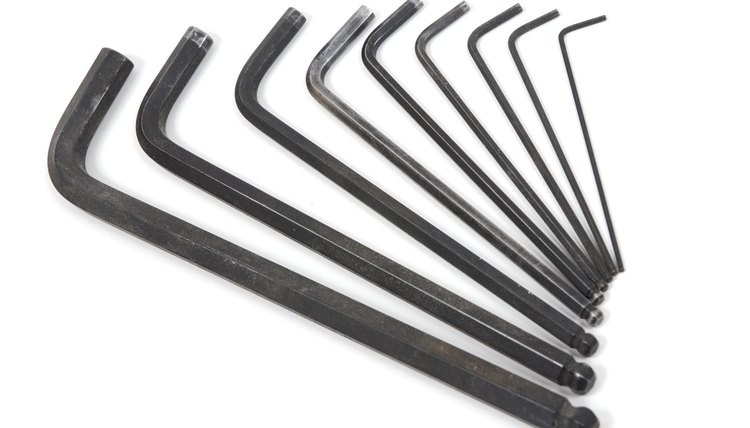
If you're experiencing numbness or pain in your hands or wrists, a simple adjustment of your handlebars could be the solution. Bike handlebars often aren't properly adjusted for optimal handling when they come off the shelf. Luckily, handlebars are simple to adjust using an Allen wrench. All Trek road and mountain bikes use Bontrager stems and handlebars, which use standard-size bolts, and are easy to adjust. You'll need to be patient when adjusting your bars, but getting it just right will make your Trek bicycle much more enjoyable to ride.
Adjusting Handlebar Tilt
Loosen the stem bolts holding the stem faceplate where the stem meets the handlebar. These bolts almost always use a 5 mm Allen wrench, but some stems on older Trek bicycles may use a 4 mm or 6 mm wrench. Bontrager stems come in two-bolt and four-bolt types; loosen each bolt evenly using the appropriate Allen wrench until the faceplate comes away and the bars hang loosely by the brake and shifter cables.
Replace the handlebar and re-tighten the stem bolts on the faceplate. Once you have the stem bolts in place, tighten them until the faceplate is just barely flush with the handlebars. Then, check that the handlebars are centered and adjust tilt until the brakes and shifters are at a comfortable orientation.
Tighten the stem bolts evenly. Using the torque wrench, tighten each bolt a little bit at a time, keeping the thin space between the stem faceplate and the stem as even as possible. Tighten each bolt to the manufacturer's recommended torque, usually between 4 and 8 nm, making sure to keep the faceplate even.
Adjusting Handlebar Height
Loosen the clamp bolts where the stem meets the steerer tube. Bontrager stems usually use 5 mm Allen wrenches, but can sometimes use 4 mm or 6 mm Allen wrenches.
Use a 5 mm Allen wrench to loosen the top cap at the top of the stem. The top cap shouldn't be very tight. Once you remove the bolt and cap, you'll see the star nut inside the steering tube.
Rearrange the stem and the spacers until the desired height is reached. Don't move the headset bearing cover. Once you have the desired number of spacers between the stem and the headset, place spacers on the remaining steering tube until the top spacer extends 3 mm to 5 mm above the top of the steering tube.
Tighten the top cap. Too tight, and you'll have trouble steering. Not tight enough, and you'll feel rattling and vibration in your headset. Tighten it until it is just barely snug.
Align the handlebars with the front wheel. Straddling the bike can make it easier to judge how the handlebars and front wheel line up. Once you have them aligned, use the torque wrench to carefully tighten the stem clamp bolts evenly to the manufacturer's recommended torque, usually between 5 to 8 nm.
Tips
Keep both wheels planted on the ground during handlebar adjustments to prevent the fork from sliding during height adjustments.
Warnings
If you're raising your fork, be sure that your brake and shifter cables are long enough to compensate for the increase in distance. Always be sure all of your stem bolts are properly tightened before riding anywhere; a loose bolt in the stem can cause your handlebars to loosen, potentially causing a crash.
If you're using a carbon fiber handlebar or steerer tube, be extra careful to use the manufacturer's recommended torque.
References
Tips
- Keep both wheels planted on the ground during handlebar adjustments to prevent the fork from sliding during height adjustments.
Warnings
- If you're raising your fork, be sure that your brake and shifter cables are long enough to compensate for the increase in distance. Always be sure all of your stem bolts are properly tightened before riding anywhere; a loose bolt in the stem can cause your handlebars to loosen, potentially causing a crash.
- If you're using a carbon fiber handlebar or steerer tube, be extra careful to use the manufacturer's recommended torque.
Writer Bio
Max Roman Dilthey is a science, health and culture writer currently pursuing a master's of sustainability science. Based in Massachusetts, he blogs about cycling at MaxTheCyclist.com.